Ahmedabad, Gujarat, India
Ahmedabad, Gujarat, India
Discover the best AI video generator for YouTube in 2026. We rank 11 tools by revenue potential, pricing, and monetization safety for faceless channels. Start now.
Disclaimer: This content is for educational and informational purposes only. Earnings and results vary by individual. Always conduct your own due diligence before committing time or money.
Most people who try to start a faceless YouTube channel pick the wrong AI video generator first. They grab whatever tool looks flashy on social media, burn through credits on clips that can’t be monetized, and quit when the money doesn’t appear.
The difference between channels that generate $70,000 per year and channels that never reach 1,000 subscribers is not luck. It is tool selection, monetization strategy, and workflow discipline.
As of 2026, an AI video generator for YouTube is not a single product category. Some tools generate full first-draft videos from a single prompt. Some generate cinematic B-roll footage. Some specialize in AI avatars and talking-head corporate content. And some are designed specifically for Shorts repurposing at scale.
If you have been searching for a real, no-fluff ranking of AI video tools based on actual revenue potential, pricing transparency, and monetization safety, this is it.
This guide breaks down 11 AI video generators based on verified 2026 pricing, documented earnings, and YouTube Partner Program compliance. You will learn which tools generate actual ad revenue, which ones are best for Shorts, which platforms corporate clients pay for, and how to build a profitable faceless channel in 2026. By the end, you will have a clear tool stack ready to deploy.
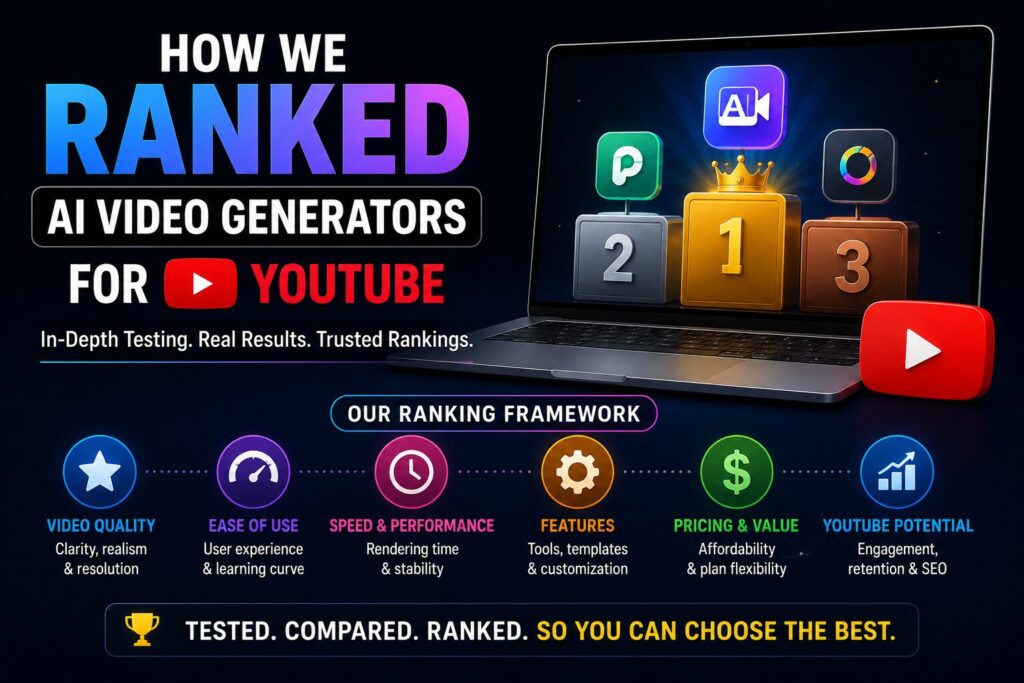
Every tool in this ranking was evaluated against four YouTube-specific criteria that directly impact revenue potential.
The ranking also incorporates documented earnings data. A 22-year-old creator operating five faceless channels reported annual revenue of approximately $70,000 (about NT$22 million) , with each video costing just $60 to produce and monthly revenue ranging between $40,000 and $60,000. (For additional documented earnings examples, see FAQ Q3 below.)
Now here is the complete ranking of the best AI video tools in 2026.

Best for: First-draft video generation from scripts
Pricing: Free tier available (watermarked) / Paid plans $15-30 per month
Quality Rating: Good
InVideo AI is currently the strongest true faceless first-draft generator on the market. It explicitly combines script writing, media, voiceover, music, and sound effects into one prompt-led workflow. The platform boasts a massive library of 16 million+ stock media elements and over 15 human-sounding AI text-to-speech options.
For revenue potential, InVideo AI excels at efficiency. A creator can paste a script or a URL, and the platform generates a complete video with matched visuals, voiceover, and background music in minutes. This speed translates directly to higher content volume. However, the output requires human review before monetization — raw AI-generated videos with no human involvement risk being flagged under YouTube’s July 2025 policy against “mass-produced and repetitious content”.
Best YouTube use case: Stock-footage explainers, faceless educational content, and finance videos. The 16M+ stock library makes it easy to produce clean, professional-looking videos without generating custom visuals.
Monetization safety: Requires human editing and original scriptwriting. Avoid using raw AI output directly. Add your own commentary, original analysis, or unique editing style.
Best for: High-quality cinematic B-roll and thumbnail animation
Pricing: $15-35 per month
Quality Rating: Excellent
Runway Gen-4.5 is the leader for animating thumbnail stills and generating cinematic establishing shots. Founded in 2018, Runway has emerged as an early leader in text-to-video generation, combining strong model capabilities with a more developed application layer. The tool follows an “artist toolbox” philosophy, putting fine-grained control in the hands of professional creators. Enterprise client renewal rates reach 85%, though the average user churn is high due to the tool’s complexity and cost.
For creators building an AI video strategy, Runway is best used as a supplement, not the primary tool. Use it to generate 5-10 second establishing shots, animated transitions, or thumbnail motion elements. Then assemble those clips in a traditional editor. One documented approach allocates expensive Runway credits to revenue-generating client work while using more affordable tools for testing and volume production.
Best YouTube use case: Cinematic intros, documentary-style historical content, animated thumbnails, and high-production-value B-roll.
Monetization safety: High — Runway’s paid plans include commercial rights. The 40-second clip length cap requires chaining multiple generations together for longer sequences.
Best for: Long B-roll up to 3 minutes with realistic on-camera people
Pricing: Credit-based; no true free tier
Quality Rating: Excellent (ultra-realistic visuals)
Kling 3.0 wins for long B-roll segments, particularly those requiring realistic on-camera people. Through its Extend feature, Kling supports up to 3 minutes of continuous generation — the longest of any major tool. Most competitors, including Runway, cap individual generations at 40 seconds. This makes Kling uniquely valuable for documentary-style content requiring seamless, extended footage.
The ultra-realistic visual quality positions Kling at the premium end of the market. However, global access remains limited, and there is no real free usage tier. For serious creators building a scalable faceless channel, Kling is an investment that pays off when realism directly impacts viewer retention.
Best YouTube use case: Long-form documentary B-roll, historical reenactments, cinematic narratives, and any content requiring continuous footage of human subjects.
Monetization safety: High, but the lack of a free tier means testing workflows requires upfront payment. Prioritize Kling for client work or high-budget projects first.
Best for: AI avatars and talking-head videos
Pricing: $24-60 per month
Quality Rating: Excellent
HeyGen specializes in AI avatar creation and talking-head videos. In the AI avatar creation landscape, HeyGen is outpacing Synthesia on customer growth by a wide margin — its mid-market customer base grew 152% year-over-year as of January 2026, compared to approximately 30% growth for Synthesia. However, Synthesia still generates far more revenue per customer, with average contract values more than three times higher than HeyGen’s. This makes HeyGen particularly valuable for creators targeting corporate clients or selling video production as a service.
The real revenue potential for HeyGen lies in B2B services, not ad revenue. Businesses pay premium rates for AI-generated spokesperson videos for training, marketing, and internal communications. If you can position yourself as an AI video production agency, HeyGen becomes a tool for client services — a market where monthly potential ranges from $500 to $15,000 per month for client work.
Best YouTube use case: Avatar-led business content, corporate training explainers, product announcements, and educational series requiring a consistent “presenter” without filming.
Monetization safety: Excellent for client work. For YouTube ad revenue, avatar content is permissible but requires significant original scripting and value addition.
Best for: Mobile-first editing and Shorts repurposing
Pricing: Free with no watermark on TikTok (watermark on YouTube exports unless removed)
Quality Rating: Good
CapCut is one of the strongest choices for Shorts repurposing because it supports AI long-video-to-short conversion, auto captions, and rapid scene-based editing. The tool is particularly valuable for channels that publish both long-form and Shorts content, as the same footage can be repurposed across formats.
45% of content creators use AI video tools daily as of 2024, and CapCut’s mobile-first approach makes it accessible for creators who prefer editing on phones or tablets. For a video strategy focused on Shorts, CapCut’s free tier and AI captioning features provide an unbeatable entry point.
Best YouTube use case: YouTube Shorts automation, long-form repurposing into Shorts, caption-heavy social clips, and rapid scene-based editing.
Monetization safety: High for Shorts content. For long-form, CapCut is an editor, not a generator — it does not produce raw footage from text prompts. Use it as a polish layer for AI-generated base footage.
Best for: Turning scripts, URLs, blogs, and screen recordings into edited videos
Pricing: $19-39 per month
Quality Rating: Good
Pictory is especially strong for turning scripts, URLs, blogs, and screen-driven inputs into edited videos. The platform supports multiple aspect ratios, voice options, and automated captioning. It is one of the most robust long-form options for creators who already have written content they want to convert into faceless videos.
For revenue potential, Pictory shines in niches like tech tutorials, software walkthroughs, and educational content where screen recordings and existing blog posts form the foundation of video scripts. The platform reduces the AI video learning curve significantly because it works with inputs you already have.
Best YouTube use case: Screen-recording tutorials, blog-to-video conversion, educational content, and any workflow where existing written material forms the script.
Monetization safety: High, provided the underlying script is original. The stock footage library is safe for monetization, but avoid using the same stock clips repeatedly across videos.
Best for: AI avatar video generation for corporate and training content
Pricing: $22-67 per month (no free plan)
Quality Rating: Excellent
Synthesia offers over 125+ AI avatars and is best known for enterprise-grade, polished training videos. While Runway and Pika focus on creative generation, Synthesia excels at producing realistic spokesperson videos for business applications. The platform’s enterprise focus means higher price points but also higher-value client work.
While Synthesia is overkill for standard faceless YouTube channels, it can be a powerful engine if you are selling video production services to businesses—such as training videos, onboarding content, and product explainers.
For instance, one documented agency using AI video tools achieved 43 consecutive profitable months, generating $580,000 in trailing twelve-month (TTM) revenue — all while the owner drew a salary of just $18,500 per year.
Best YouTube use case: Corporate training content, business explainers, and educational series for professional audiences. Less suited for entertainment or documentary content.
Monetization safety: Excellent for client services. For ad revenue, avatar content is permissible but requires significant human-added value.
Best for: 4K intros and hero shots
Pricing: Bundled on multi-model platforms from $9.90/month (VO3 AI)
Quality Rating: Excellent (9.5/10)
Veo 3 wins for YouTube intros and hero shots in 4K resolution. However, Veo 3 is typically accessed through multi-model platforms like VO3 AI, which bundles six models including Sora 2, Kling 3.0, Seedance, Hailuo, and WAN 2.5 from $9.90 per month — cheaper than any single direct subscription, with commercial rights for monetization included.
For creators, this multi-model approach is the most cost-effective. Instead of subscribing to multiple tools individually ($15-60 each), a platform like VO3 AI or ShortsNinja provides access to multiple models under one subscription. This is particularly valuable because no single model wins every YouTube format.
Best YouTube use case: Channel intro animations, high-production hero shots, music video openers, and any content requiring 4K resolution.
Monetization safety: High, but check the commercial rights policy of the specific platform you use. Bundled platforms typically include commercial rights in paid tiers.
Best for: Voice-led, transcript-based video editing
Pricing: Free tier available / Paid plans start around $15 per month
Quality Rating: Very Good
Descript is described as the “God Mode” of video editors, allowing creators to edit video by simply editing the transcript text. This transcript-first approach is uniquely powerful for long-form content where narration drives the visual flow. Descript is also strong when the workflow is voice-led and editing needs to happen through the transcript rather than a timeline.
For revenue potential, Descript excels at podcast-to-video conversion and voiceover-heavy documentary content. A creator can record a voiceover, drop it into Descript, and edit the video by deleting words from the transcript — the video clips adjust automatically. This speeds up production dramatically.
Best YouTube use case: Podcast-to-video repurposing, voiceover-driven documentaries, talking-head content, and any workflow where the script is the central organizing principle.
Monetization safety: Descript is an editor, not a generator. It does not produce raw footage from prompts. As long as the source footage and voiceover are original, monetization is safe.
Best for: Beginners and marketers wanting an affordable all-in-one text-to-video platform
Pricing: Free tier with 200 AI credits / Paid plans start at low monthly rates
Quality Rating: Very Good
Steve AI has been regarded as the most affordable and easy-to-use AI video generator platform with diverse video styles and language options in 2026. The platform supports both animated and live-action styles, includes 40+ human-like voices and talking head avatars, and features a 10 million+ stock footage library. You can start creating 4-12 second AI clips and scale up to full AI videos running for 20+ minutes.
Online discussions on Reddit and Quora mention positive reviews for faceless YouTube channels, explainer videos, and text-to-video AI workflows. For beginners with limited budget, Steve AI provides the lowest barrier to entry. The free tier with 200 AI credits and 120 seconds of free AI video creation allows testing without financial risk.
Best YouTube use case: Beginner faceless channels, explainer videos, animated content, and any creator wanting to test AI video generation before committing to paid tools.
Monetization safety: Free tier videos may have limitations that affect monetization. Paid plans include commercial rights. Always upgrade before publishing content intended for ad revenue.
Best for: Short-form faceless production automation
Pricing: Starts around $19 per month
Quality Rating: Very Good
ShortsNinja is built for faceless short-form production, not one-off art pieces. The platform turns idea, script, visuals, voiceover, edit, and publishing into one integrated workflow. It uses models including Flux, Kling, MiniMax, Luma Labs, and RunwayML for visuals, plus voice providers including ElevenLabs, Speechify, and OpenAI. The platform supports 200+ realistic voices across 50+ languages, useful for multilingual content or testing localized channels.
For an AI video strategy focused on Shorts, ShortsNinja’s strongest feature is workflow compression. Instead of treating generation as the finish line, ShortsNinja treats it as the midpoint. You start with an idea, refine the script, generate visuals, make quick edits, and schedule the final product — all within the same platform. This efficiency translates directly to higher content volume and faster scaling.
Best YouTube use case: High-volume Shorts production, faceless channels focused on Shorts monetization, multilingual content, and creators wanting an all-in-one publishing workflow.
Monetization safety: High. The platform’s built-in scheduling and publishing features help maintain consistent upload schedules, which YouTube’s algorithm rewards.
The AI video generation market has matured into a high-stakes battleground of adoption wars, multi-million dollar funding rounds, and unprecedented cost efficiencies. The “which tool is best” question is no longer the right one. The right question is: which tool fits your specific workflow, budget, and growth trajectory?
Let’s start with the numbers that put everything into perspective. The global AI video generator market was valued at $0.85 billion in 2025 and is projected to hit $1.04 billion in 2026 — a compound annual growth rate of 22.4%. By 2030, that figure is expected to reach $2.07 billion. The broader AI video generation and editing software market is even more staggering: projected to reach $24.89 billion by 2036, growing at a 21.4% CAGR from 2026.
What does this mean for a creator or business? The tools are getting cheaper, faster, and more capable every quarter—but so is the competition. The window for “first-mover advantage” is closing fast.
Over 1 million YouTube channels used AI creation tools daily in December 2025. This is not a niche experiment—it is mainstream production infrastructure.
A 2026 study identified 278 channels consisting entirely of AI-generated content, which collectively have garnered 63 billion views , 221 million subscribers , and an estimated $117 million in annual revenue. One Indian AI-generated channel reportedly earns $4 million per year.
AI filmmaking has become one of the fastest-growing creator categories on YouTube. The platforms are responding: YouTube’s official blog revealed new AI-powered scene insertion, real-time voice cloning for Shorts, and improved copyright detection for AI-generated clips.
Not all AI video is created equal. In 2026, 21% of videos shown to new users are AI-generated “slop” —low-quality, mass-produced content that adds little value. YouTube’s CEO has made reducing this a 2026 priority.
This is where opportunity lies. YouTube’s monetization policy is clear: using AI for production is fine; uploading unedited AI output at scale is not. The platform’s “inauthentic content” policy explicitly targets channels that churn out templated, low-effort videos at scale.
The takeaway: Creators who combine AI tools with genuine human editing, unique perspectives, and consistent quality will be rewarded. Those who simply paste AI output and upload will be filtered out.
Faceless channels can earn between $500 and $5,000 per month from YouTube AdSense alone, provided you upload consistently. AI video tools in 2026 can reduce production costs by up to 80% compared to traditional video creation.
YouTube is also diversifying revenue streams beyond ads. The platform now offers native shopping, improved brand partnerships, and expanded fan funding—creating reliable revenue options for creators in low-CPM niches.
Perhaps the most compelling data point for any business considering AI video: model-generated audiovisual pieces can cut average production cost by 91% , from about $4,500 per minute to roughly $400 per minute. For a business producing 10 minutes of video content per month, that’s a saving of over $40,000 annually. business around AI video, pay attention to where the money is flowing, not just the hype.
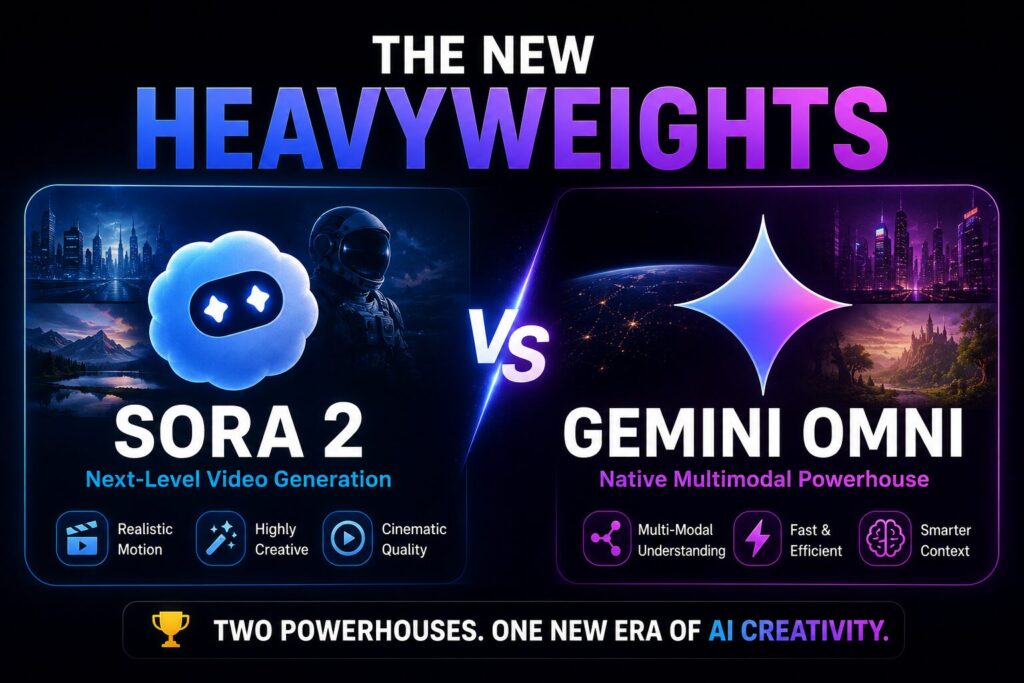
2026 has brought two game-changers that the tool list couldn’t have anticipated.
OpenAI launched Sora 2 in June 2026, its most advanced video generation model yet, alongside a TikTok-style social app. The system can now generate synchronized dialogue, sound effects, and physically accurate motion—capturing things like Olympic gymnastics routines or basketball moves that were “outright impossible” for earlier models. Perhaps most surprisingly, Sora 2 is completely free through the standalone Sora app, with “generous limits.” The caveat? Queue times can stretch to 30+ minutes during peak hours due to computing power shortages.
Google’s Gemini Omni, launched at I/O 2026, takes a radically different approach. It doesn’t just generate video from text—it creates from anything: sketches, voice notes, shaky phone footage, even a picture of your dog. It understands physics-aware details like lighting, motion, gravity, and fluid dynamics. YouTube Shorts users get it completely free. Every video gets an invisible SynthID watermark.
The message is clear: the barriers to entry have collapsed. If you’re still paying $30/month for basic AI video tools, you’re missing the free, enterprise-grade options now available.
The EU AI Act’s transparency obligations for AI systems that generate or manipulate content will apply from August 2, 2026. In India, the IT Amendment Rules 2026, effective February 20, 2026, significantly expand the regulatory framework governing synthetically generated audio-visual content. These rules require mandatory labelling of lawful synthetic content and introduce proactive monitoring duties for platforms.
For creators and businesses using AI video tools, this means one thing: compliance is no longer optional. If you’re distributing AI-generated video in the EU or India, you need to understand the labelling and transparency requirements—or risk your content being flagged or removed.
For most creators starting a faceless YouTube channel, InVideo AI is the best all-around choice. It combines script writing, stock media, voiceover, music, and sound effects into one prompt-led workflow at an accessible price point. For cinematic B-roll, Runway is the top performer. For Shorts automation at scale, ShortsNinja provides the most efficient workflow. The best tool depends on your specific YouTube format — long-form explainers, Shorts repurposing, avatar-led content, or cinematic storytelling.
Start with free tiers. Steve AI offers 200 free AI credits and 120 seconds of free video creation. CapCut is completely free for editing and Shorts repurposing. InVideo AI has a free watermarked tier. Combine these with ChatGPT (free tier) for script writing and ElevenLabs’ free tier for voice testing. For roughly $0-20 per month, you can produce monetizable faceless content. Upgrade to paid plans as your channel generates revenue.
As covered above in the ranking methodology, documented earnings for faceless YouTube channels vary widely. A 22-year-old creator operating five such channels reported annual revenue around $70,000 , with production costs as low as $60 per video. Medium-sized faceless channels typically report around $2,000 per month , while overall average annual income for these channels generally falls between $12,000 and $120,000.
In a notable outlier case, an Indian YouTube channel that used exclusively AI-generated videos reportedly earned over ₹38 crore (approximately $4.55 million USD). For those offering video production as a client service, monthly revenue potential ranges from $500 to $15,000.
For beginners, a realistic first-year target is $500–$5,000 per month from ad revenue alone, with the potential for significantly higher earnings through sponsorships and affiliate income.
Yes, with conditions. As of July 15, 2025, YouTube updated its monetization guidelines to better identify “mass-produced and repetitious content,” extending existing “inauthentic content” definitions to AI-generated material. YouTube allows monetization of AI videos as long as they comply with original content and copyright policies. The key distinction: AI as a tool is acceptable; AI as the sole creator is not. Content must provide genuine value, and realistic synthetic content may require disclosure during upload. Creators must disclose synthetic content.
InVideo AI offers the most beginner-friendly experience with its prompt-led workflow and free tier. Steve AI is the most affordable paid option with a generous free tier. CapCut is the best free editing tool. For a complete beginner, start with Steve AI’s free tier (200 credits) to test the workflow, then upgrade to InVideo AI’s paid plan for watermark-free stock footage. Avoid starting with premium tools like Runway or Kling until you have established a monetized channel — the learning curve and cost are too high for initial experimentation.
Choosing the right AI video generator for YouTube in 2026 comes down to your specific format and monetization goals.
The three most actionable takeaways:
The difference between faceless channels that earn $70,000 per year and channels that never reach 1,000 subscribers is not the tool — it is consistent, value-driven output with human oversight. The tools are accessible. The knowledge is in your hands. The only missing piece is action.
All figures are sourced from publicly available reports, benchmarks, and industry data from 2026.
Leave a comment below — which of these 11 tools will you test first?
P.S. — We publish one practical AI income guide every week at AICAP.in. Subscribe below — no spam, no fluff, just strategies that actually work.

Salman Shaikh is the founder and editor-in-chief of AiCap.in, an independent AI and personal finance publication based in Ahmedabad, India.
Since launching AiCap.in in April 2026, Salman has personally tested and reviewed 100+ AI tools across income generation, crypto research, content creation, and personal finance — publishing 91+ hands-on guides based on real usage, not press releases.
His approach is simple: every tool he writes about is one he has opened, tested, and either used to earn money or rejected after finding it didn’t deliver. He started AiCap.in after realising most AI content in India was either written by people who had never touched the tools, or buried in technical jargon that everyday people couldn’t act on.
His work covers AI tools for passive income, freelancing with AI, crypto research workflows, Amazon FBA with AI, and personal finance strategies built for readers in India and accessible to anyone globally looking to earn smarter with AI.
AiCap.in now reaches a growing community of readers across India and globally who want practical, jargon-free AI strategies they can implement today.
Connect with Salman: LinkedIn · X @AiCap88 · YouTube · Medium





[…] YouTube video dubbing […]
[…] to start a faceless YouTube channel with AI in 2026 — a free 5-step workflow using ChatGPT, ElevenLabs & Pexels. No camera, no mic, zero […]
[…] AI video editing and production is the fastest-growing category at +329%. If you can combine AI tools with human editing, you are entering a market where demand far exceeds supply. […]