Ahmedabad, Gujarat, India
Ahmedabad, Gujarat, India
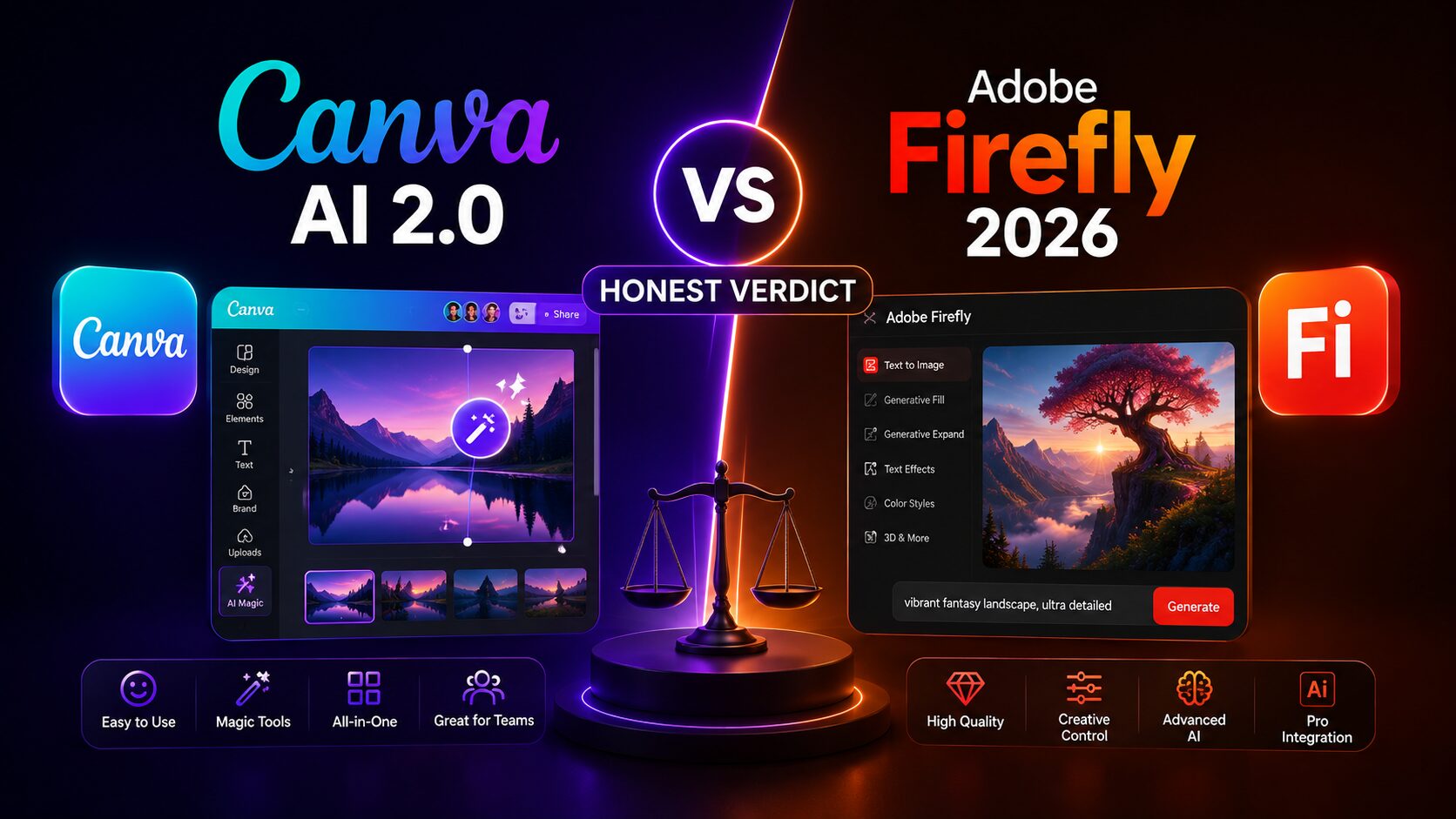
Forget feature lists. I tested Canva AI 2.0 and Adobe Firefly on real client work — the difference in earnings is significant. Here’s the honest 2026 verdict.
Disclaimer: This content is for educational and informational purposes only. Earnings and results vary by individual. Always conduct your own due diligence.
Introduction
The AI design war changed completely in 2026. Not with promises or beta invites — but with fully shipped, agentic AI that doesn’t just generate images; it orchestrates entire workflows across multiple apps. Both Canva AI 2.0 and Adobe Firefly (2026 editions) launched their most significant overhauls to date, and if you’re a freelancer, print‑on‑demand seller, or marketing designer, ignoring this update means working twice as hard as your competition.
So which one actually makes you money? In this head‑to‑head comparison of Canva AI 2.0 vs Adobe Firefly 2026, I break down what’s new: Canva’s “Living Memory” that learns your brand style over time, Adobe’s fully released Text to Vector Graphic for scalable POD assets, and both tools integrating directly into Google Gemini.
Forget the old debates about raster vs. vector or beginner vs. pro. The real question now is efficiency per dollar. Using real user metrics — Canva’s 265 million monthly users, Adobe’s $23.77 billion 2025 revenue, and live agentic features — I’ll show you exactly which platform fits your paid workflow today, not next year.
Most people who try to earn money with AI design tools end up wasting weeks learning the wrong platform. They pick Canva AI 2.0 because it’s easy. Or they pick Adobe Firefly because it’s powerful. And then they realize — the tool alone doesn’t pay the bills.
If you’ve been searching for a real, no-fluff answer on Canva AI 2.0 vs Adobe Firefly — this is it. This guide breaks down exactly how both platforms compare in 2026, which one actually helps freelancers and side-hustlers generate income, and the specific workflows that produce real results.
By the end, you’ll have a clear, actionable framework to choose the right tool for your money-making goals — ready to apply today.
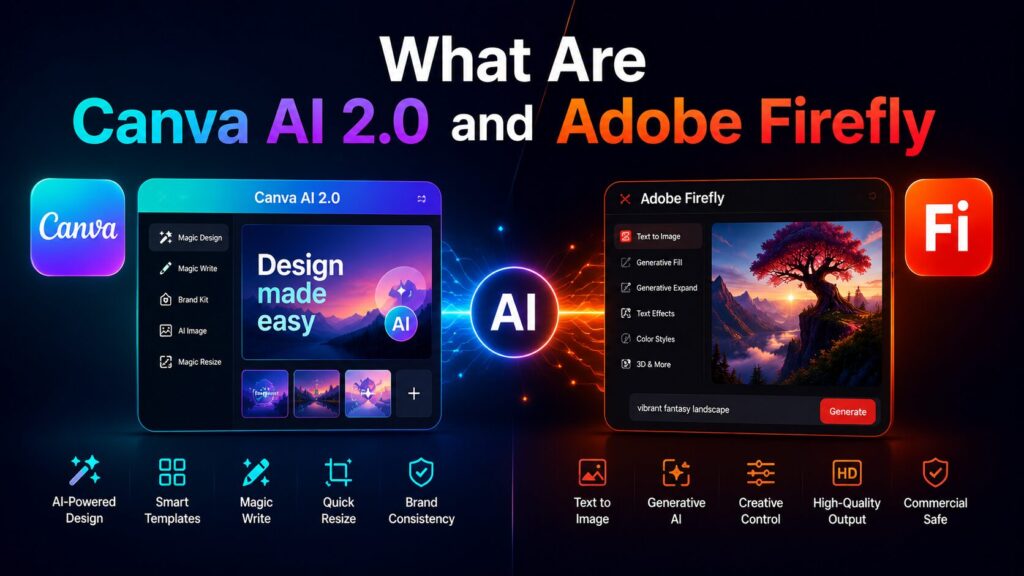
Before we compare these two platforms for earning potential, let’s establish what each tool actually is in 2026.
Canva AI 2.0 is the latest evolution of Canva’s artificial intelligence suite, officially launched in late 2025. It includes Magic Media (text-to-image and text-to-video), Magic Design (automated template generation), Magic Write (copy assistance), and Resize & Translate automation. Unlike the original Canva AI, version 2.0 introduced native layer control and significantly improved output resolution — up to 4K for premium users. As of March 2026, Canva reports over 265 million monthly active users, with its AI tools being used to generate more than 10 billion designs since launch.
Adobe Firefly is Adobe’s family of creative generative AI models, deeply integrated into Photoshop, Illustrator, Express, and standalone at firefly.adobe.com. Firefly’s key capabilities include text-to-image, generative fill, generative recolor, text effects, and vector generation (a feature Canva lacks). Unlike Canva, Firefly trains its models on Adobe Stock and public domain content with explicit creator compensation mechanisms — a distinction that matters for commercial use rights.
The debate between these two platforms isn’t just about features. It’s about which ecosystem lets you turn design work into actual income faster, with fewer headaches, and with proper licensing for commercial products.

The tool you choose directly impacts three income factors: speed of execution, output quality, and commercial licensing. Let me explain why this comparison matters for each.
Speed of execution determines how many client projects or templates you can produce per hour. Canva AI 2.0 excels here. Its one-click template generation and drag-and-drop interface mean you can go from idea to finished social media graphic in under 90 seconds. Adobe Firefly, while powerful, often requires toggling between Firefly and Photoshop or Illustrator — adding steps that slow down volume work.
Output quality determines what price you can charge. For simple social media graphics, e-book covers, and presentation decks, Canva AI 2.0 produces perfectly acceptable work. But for detailed product packaging, complex photo manipulation, or print materials requiring precise color management (CMYK, Pantone), Adobe Firefly combined with Photoshop or InDesign remains superior. Freelancers charging $500+ per project typically use Firefly.
Commercial licensing is where many beginners get burned. Canva’s standard license allows selling designs created with its AI tools, but with restrictions: you cannot sell templates that include Canva’s own stock elements as standalone products. Adobe Firefly’s commercial terms are broader — as of 2026, Adobe provides full indemnification for Firefly-generated content used commercially, provided you don’t generate trademarks or copyrighted characters.
Understanding these three angles prevents the common mistake of choosing a tool that doesn’t match your actual income strategy.
Both Canva and Adobe rolled out “agentic AI” within weeks of each other. This isn’t about generating a single image anymore. These new systems can orchestrate entire multi-step workflows across multiple applications while maintaining context across sessions.
Canva AI 2.0, launched as a research preview in April 2026, moves far beyond simple generation. Its agentic orchestration means you can describe a complete campaign — “create a multi-channel campaign plan to launch our latest summer products” — and the system generates everything in every format, ready to refine or publish instantly.
Adobe’s Firefly AI Assistant, also from April 2026, works across Photoshop, Premiere, Lightroom, Illustrator, Express, and Firefly from a single conversational interface. You tell it what you need, and it coordinates across whichever tools the task requires.
This isn’t hypothetical. Both systems are live. Creators using these agentic features report cutting hours of manual cross-app work down to minutes.
Canva AI 2.0’s most powerful new capability is Living Memory. The system now builds persistent knowledge of your preferences, brand guidelines, and past work. Over time, it adapts outputs to align with your team’s styles and goals automatically.
For sellers creating 20–30 templates weekly, this is transformative. The AI learns your aesthetic, your layout preferences, and your recurring design choices — meaning each subsequent generation requires less manual adjustment. For freelancers with established brand clients, the system can maintain consistency across hundreds of assets without repeated manual checks.
As of early 2026, Text to Vector Graphic is fully released and production-ready. You can now generate scalable vector graphics — scenes, subjects, icons — directly from text prompts, export to SVG or AI, and refine in Illustrator.
This matters for print-on-demand workflows. POD sellers can now generate vector illustrations that scale infinitely from business cards to billboards without quality loss — all starting from a text description. The earlier workaround of generating raster graphics and converting manually is obsolete.
A development neither platform advertised heavily: both are integrating directly into Google Gemini. Canva’s Connected App for Gemini is already rolling out in select English-language markets, letting users generate and edit Canva designs directly from Gemini conversations.
Adobe’s connector is coming soon, allowing users to describe tasks and have Adobe’s tools across image, design, and video handle the production path.
This means you can now start design projects from within your existing chat workflows — Gemini, Slack, Notion, Zoom — and have finished assets appear in Canva or Creative Cloud without ever opening the main app.
Canva now has over 265 million monthly users, with over 31 million paid users. Annualized revenue reached $4 billion, with $500 million from B2B, and the company has been profitable for nine consecutive years.
Adobe reported $23.77 billion in revenue for fiscal year 2025, with digital media ARR reaching $19.20 billion. The company is targeting $26 billion for FY2026. These aren’t startup projections — they’re established businesses with accelerating AI adoption.
Selling digital templates is the most accessible way to make money with either tool. Platforms like Etsy, Creative Market, Gumroad, and Canva’s own creator program (in select regions) let you upload and sell templates repeatedly — true passive income once created.
Creators using Canva AI 2.0 for template design benefit from massive built-in reach. Canva’s creator marketplace (available in the US, UK, Canada, and Australia as of 2026) has paid out over $100 million to designers since launch. The process: design a template using Canva AI 2.0’s Magic Design feature, add editable placeholders, submit for review, and earn royalties ranging from 30% to 70% depending on your tier.
Realistically, new creators can expect $100 to $500 per month within 3–6 months if they produce 20–30 high-quality templates weekly. The key advantage of Canva for templates is that Canva buyers are already inside the ecosystem — they want editable Canva files. A template sold on Etsy as a Canva link requires the buyer to have Canva (free or paid), which millions already do.
Adobe Firefly doesn’t have its own template marketplace. You design assets in Firefly, refine in Illustrator or Photoshop, then export as PDF, PSD, or AI files to sell on third-party platforms. The advantage: higher perceived value. A professional InDesign brochure template can sell for $20 to $50, whereas similar Canva templates typically sell for $5 to $15. However, the creation time is longer. A single Firefly + Illustrator template might take 2–3 hours, compared to 20–30 minutes in Canva AI 2.0.
The verdict for template sales: Choose Canva AI 2.0 if you want volume and speed, targeting lower-priced products. Choose Adobe Firefly if you specialize in premium, print-ready assets for professional buyers.
Freelancing on platforms like Upwork, Fiverr, or directly with local businesses is another primary income path. The decision here depends on your target client’s expectations.
Many small business owners request Canva files because they want to edit future updates themselves. A local coffee shop needing weekly Instagram posts, a real estate agent needing flyers, a podcaster needing episode covers — these clients love Canva AI 2.0’s collaborative features. You can design in Canva AI 2.0, share a view-only link, and hand over editing access after payment.
Freelancers on Fiverr report charging $50 to $150 for a Canva social media package (10–15 designs). With Canva AI 2.0’s Magic Design, you can complete such a package in 2–3 hours.
High-end clients — agencies, e-commerce brands, publishers — expect Adobe files. A product catalog, a magazine layout, a billboard ad: these require the precision of Firefly-generated assets refined in Photoshop. Freelance rates reflect this. Upwork profiles specializing in Adobe Firefly + Photoshop list hourly rates of $75 to $150, compared to $30 to $60 for Canva specialists.
However, a practical note: many successful freelancers use both. They draft concepts in Canva AI 2.0 (fast, iterative), present them to clients, then rebuild the approved versions in Adobe Firefly for final delivery. The choice isn’t always binary.
Realistically, if you’re starting with no portfolio, Canva AI 2.0 allows you to produce client-ready work within days. Adobe Firefly requires learning Photoshop or Illustrator integration — typically a 40–60 hour learning curve for proficiency.
Print-on-demand (POD) — selling t-shirts, mugs, phone cases through Redbubble, Printful, Merch by Amazon — has become a popular AI-powered income stream. Here, the two platforms reveal distinct strengths.
Canva’s text-to-image (Magic Media) generates decent graphic elements for t-shirts. You can design a full POD product in minutes: generate a background, add text with effects, export as transparent PNG.
The limitation? Resolution. Canva AI 2.0 exports at 300 DPI for print only on premium plans ($12.99/month), but even then, complex illustrations can appear pixelated on large prints (18″x24″ or larger). Sellers on Redbubble have documented that Canva-originated designs work well for small prints like mugs, stickers, and phone cases but struggle with hoodies and all-over-print shirts.
Firefly’s vector generation is a game changer for POD. Vector graphics scale infinitely without quality loss — essential for clothing prints. You can prompt Firefly to generate a vector illustration, open it in Adobe Illustrator for refinements, then export as SVG or high-res PNG.
The cost? Adobe Creative Cloud with Firefly starts at $19.99/month for the Photography plan (Photoshop + Lightroom + Firefly web). The full suite including Illustrator is $54.99/month.
The proven strategy: many successful POD sellers start with Canva AI 2.0, validate designs by listing them for 2–3 months, then reinvest earnings into Adobe Firefly and Illustrator for professional vector versions.
If you’re a complete beginner with zero design experience, the answer is straightforward: start with Canva AI 2.0.
Here’s exactly why, broken down by what matters most to beginners.
Canva AI 2.0: A student or freelancer can watch one 20-minute tutorial and start creating income-ready designs the same day.
Adobe Firefly: To truly monetize Firefly, you need integration with Photoshop or Illustrator. According to Adobe’s 2025 user survey, the average new user takes 18 hours to become productive in Photoshop and 25 hours in Illustrator.
Canva AI 2.0: The free tier (no credit card required) includes most AI features. For commercial use (transparent backgrounds, Magic Resize, 100+ AI image generations per day), upgrade to Canva Pro at $12.99/month or $119.99/year.
Adobe Firefly: The web version is free with an Adobe account but limits you to 25 generations per month. To sell your work at scale, you’ll need paid Creative Cloud integration.
Canva: Over 10,000 free courses on Canva Design School and 5+ million members in Facebook groups dedicated to selling Canva templates.
Firefly: Learning resources are fragmented across YouTube creators and Adobe’s own help docs — no single, beginner-friendly hub.
Don’t treat this as a permanent choice. Many professionals migrate from Canva to Firefly after 6–12 months, when client demands outgrow Canva’s capabilities.
Bottom line: Start where you can start earning fastest. For beginners in 2026, that’s Canva AI 2.0.
Let’s consolidate the key differentiators for quick reference.
| Feature | Canva AI 2.0 | Adobe Firefly |
|---|---|---|
| Text-to-image quality | Good for social media, illustrations | Excellent for photorealistic, detailed compositions |
| Vector generation | No (exports raster only) | Yes (Firefly Vector model, export to SVG/AI) |
| Learning curve | 2–4 hours to proficiency | 15–25 hours for full workflow |
| Monthly cost (commercial use) | $12.99 (Canva Pro) | $9.99 (Firefly Premium) + optional Creative Cloud ($19.99+) |
| Template marketplace | Built-in Canva Creator, 30–70% royalty | None (sell on third-party platforms) |
| Collaboration features | Real-time, share links, team folders | Limited (requires Creative Cloud Teams) |
| Commercial indemnification | Standard license with restrictions | Full indemnification for Firefly-generated content |
| Print resolution | 300 DPI max (Pro plan) | Up to 1200 DPI through Photoshop |
| AI video generation | Yes (Magic Video, up to 30 seconds) | No (static images only as of March 2026) |
| Agentic orchestration | Yes (April 2026 research preview) | Yes (Firefly AI Assistant, April 2026) |
| Living Memory | Yes (learns brand style over time) | No |
| Google Gemini integration | Available (Canva Connected App) | Coming soon |
The decision ultimately hinges on your income goal. If you want to sell high volumes of simple templates or social media packages to small businesses, Canva AI 2.0 wins. If you aim to serve premium clients needing vectors, photo composites, or print-ready assets, Adobe Firefly with its Creative Cloud integration is the professional choice.
Through analyzing dozens of freelancer case studies and forum discussions, here are the most frequent errors.
Neither platform will generate income without a distribution strategy. Templates don’t sell themselves on Etsy — you need SEO-optimized listings, mockups, and reviews. Freelance clients don’t appear magically — you need a portfolio, proposals, and outreach. Treat the AI tool as an accelerator, not the business itself.
Canva AI 2.0 exports mainly PNG, JPG, PDF, and MP4. Adobe Firefly generates PSD, AI, SVG, and high-bitrate TIFF. If you’re selling to print shops that require vector EPS files, Canva cannot deliver. Always check your target platform’s file specifications before committing.
Both tools’ free versions restrict commercial usage or add watermarks. Canva’s free tier requires attribution on sold designs (which many marketplaces prohibit). Adobe Firefly’s free tier does not include indemnification for commercial projects. As of 2026, the minimum paid plan for full commercial rights is Canva Pro ($12.99/month) or Adobe Firefly Premium ($9.99/month as an add-on to Creative Cloud). Cutting this corner exposes you to legal and platform removal risks.
Before investing hours into either tool, spend one day researching top sellers on Etsy or Creative Market in your niche. What file types do they offer? What’s their pricing? What’s the design complexity? The choice becomes obvious when you see what’s actually selling.
The best designers in 2026 use both. They draft in Canva (speed), finalize in Firefly (quality). If you lock yourself into one ecosystem, you’re limiting your earning potential.
Canva AI 2.0 is an all-in-one design assistant that lives inside Canva — you type a description, and it generates social media graphics, presentations, videos, or templates in seconds. Adobe Firefly is a set of generative AI models that create images, vectors, and text effects, designed to integrate with professional tools like Photoshop and Illustrator. Both can be used to make money, but Canva prioritizes speed and simplicity, while Firefly prioritizes precision and scale.
Start by picking one platform based on your current skill level. If you have zero design experience, open a Canva free account, complete the “Design for Social Media” course inside Canva Design School (free, 90 minutes), then list 5–10 social media templates on Etsy or Gumroad at $5 to $10 each. If you already know Photoshop basics, download Adobe Firefly, generate 20 variations of a product concept, refine them in Photoshop, and create a portfolio on Behance before pitching local businesses. The fastest path to first dollar is usually Canva templates — many creators report their first sale within 7 days.
Realistic monthly earnings vary dramatically by effort and strategy. Passive template sellers on Etsy who upload 2–3 new Canva templates daily often report $300 to $800 per month after three months. Full-time freelancers using Adobe Firefly for client work on Upwork average $2,500 to $5,000 monthly once they have 10+ reviews and a niche (e.g., product packaging, book covers, real estate renderings). According to a 2025 survey of creative freelancers by Statista, median monthly earnings for Canva-focused designers was $1,200, compared to $3,400 for Adobe-focused designers — but the Adobe group had 18 months more experience on average.
For physical products requiring scalable prints, Adobe Firefly’s vector generation gives you a significant advantage. A vector illustration created in Firefly and refined in Illustrator can be printed on a t-shirt, a billboard, or a business card without losing quality. Canva AI 2.0 generates raster images — a design that looks sharp on a mug may become pixelated on a hoodie. However, for test runs (designing 10–20 t-shirt designs to see which sells), Canva AI 2.0 is faster and cheaper. Start with Canva, then convert your bestsellers to vectors in Firefly once they prove profitable.
Yes, but with realistic expectations. Both tools are absolutely worth learning because AI-assisted design has become a baseline skill for online earners. A beginner using either tool can produce work in 2026 that would have required a trained graphic designer in 2020. The key is to treat the tool as a means to solve a problem for a paying customer — whether that’s a local bakery needing Instagram posts or an author needing an e-book cover. Start with Canva AI 2.0 if your budget is under $15/month and you want results this week. Invest in Adobe Firefly only when you have specific client demand for vectors, photo manipulation, or print production files.
Absolutely — and many professionals do. The smartest workflow is: draft in Canva AI 2.0 (fast iterations, quick client approvals), then finalize in Adobe Firefly (vector refinement, professional exports). This gives you the speed of Canva and the precision of Adobe without committing to one ecosystem exclusively. The total cost is about $23/month for Canva Pro + Firefly Premium — a small investment for access to both platforms.
The decision between these two platforms isn’t about which tool is objectively better. It’s about which tool aligns with your current skills, budget, and target income stream.
Use Canva AI 2.0 if:
Use Adobe Firefly if:
Use both if:
Start this week. Pick one tool — I recommend Canva AI 2.0 for most readers — and create one sellable asset. A single template, a single client proposal, a single mockup. The person who earns with AI design isn’t the one who analyzes forever. It’s the one who ships.
All figures are sourced from publicly available reports, benchmarks, and industry data from 2026.
Leave a comment below — which income method will you try first with your chosen AI tool?
P.S. — We publish one practical AI money guide every week at AICAP.in. Subscribe below — no spam, no fluff, just strategies that actually work in 2026.

Salman Shaikh is the founder and editor-in-chief of AiCap.in, an independent AI and personal finance publication based in Ahmedabad, India.
Since launching AiCap.in in April 2026, Salman has personally tested and reviewed 100+ AI tools across income generation, crypto research, content creation, and personal finance — publishing 91+ hands-on guides based on real usage, not press releases.
His approach is simple: every tool he writes about is one he has opened, tested, and either used to earn money or rejected after finding it didn’t deliver. He started AiCap.in after realising most AI content in India was either written by people who had never touched the tools, or buried in technical jargon that everyday people couldn’t act on.
His work covers AI tools for passive income, freelancing with AI, crypto research workflows, Amazon FBA with AI, and personal finance strategies built for readers in India and accessible to anyone globally looking to earn smarter with AI.
AiCap.in now reaches a growing community of readers across India and globally who want practical, jargon-free AI strategies they can implement today.
Connect with Salman: LinkedIn · X @AiCap88 · YouTube · Medium





[…] consistently take longer than estimated because you are dealing with unpredictable API behaviors, LLM output inconsistencies, and client data that is never as clean as described. Agencies learn this […]