Ahmedabad, Gujarat, India
Ahmedabad, Gujarat, India
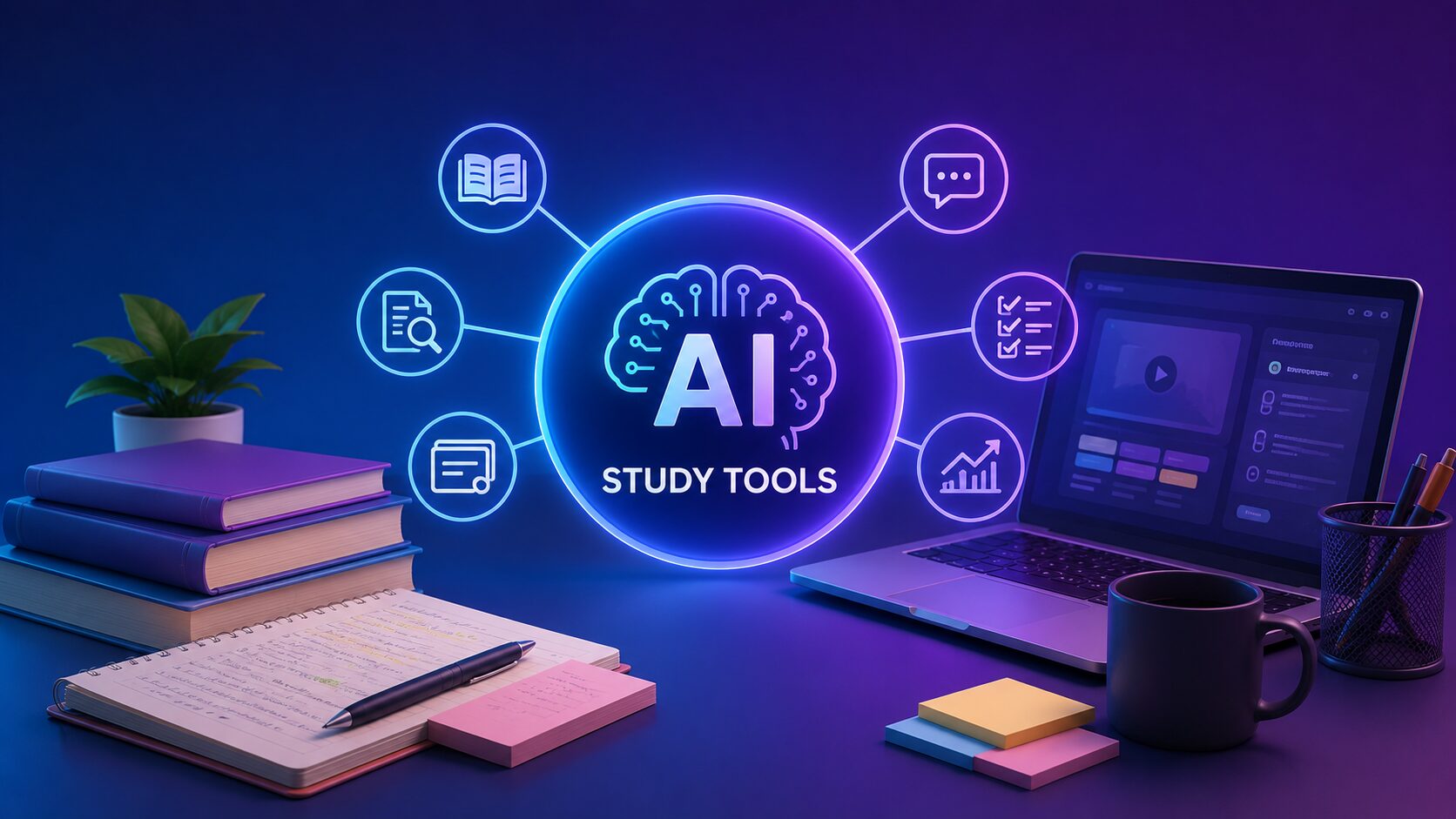
AI study tools that actually work for students in 2026. Cut research time, summarize 500-page PDFs in minutes, and make flashcards in seconds—no paid subscription needed. Start here.
Disclaimer: This content is for educational and informational purposes only. Features, pricing, and availability may change. Always verify specific tool capabilities through official documentation.
You have three chapters to read by tomorrow, a 500‑page PDF your professor just uploaded, and eight lectures worth of notes that look like a stranger’s handwriting. AI-powered study tools cannot read the material for you. But they can turn that mountain into a structured, actionable study plan in under thirty minutes.
Most guides on AI study apps list five tools, describe what each does in a paragraph, and call it a day. That is why most students try one tool, get overwhelmed, and go back to their old inefficient methods. The difference between students who actually save time and those who just download apps is not knowing which tools exist. It is knowing exactly which tool solves which specific study problem — and when to reach for it.
This guide covers everything you need to know about AI-powered study tools — which free apps actually deliver, what each tool is genuinely good at, and a subject‑by‑subject breakdown that tells you exactly what to use when you are studying science, humanities, law, or engineering.
By the end, you will have a complete, no‑guesswork study stack that you can start using today — no paid subscriptions required unless you choose to upgrade later.
AI-powered study tools are not a single app. The fastest study workflow uses four different types of tools, each handling one part of the learning process.
Here are the four essential categories:
The fastest students in 2026 are not using one AI tool. They are stacking them. Source processing eats the textbook. Flashcards test retention. Chatbots clarify confusion. Transcription captures what the professor actually said.
Reddit communities consistently rank Anki (with AI deck generators) and NotebookLM as the most effective free study tools, according to aggregated discussions across r/GetStudying, r/college, and r/medicalschool.
Now here is the part most other guides skip entirely — exactly which free tools belong in each category and what they actually cost.

Generic listicles name tools without telling you what problem each one solves. This table does the opposite. Each tool below answers one specific study frustration.
| Tool | The Problem It Solves | Free Tier Limits | Best For |
|---|---|---|---|
| Google NotebookLM | “I have 200 pages of PDFs and no time to read them all.” | Unlimited uploads, 1M+ character limit per source | Research papers, textbook chapters, lecture slides |
| Anki + AI Deck Generator | “I waste hours making flashcards manually.” | Unlimited free (Anki), AI generation via third‑party | Memorisation, language learning, medical school |
| ChatGPT (free tier) | “I do not understand this concept no matter how many times I read it.” | Limited messages per few hours | Homework help, concept breakdowns, essay outlines |
| Otter.ai | “I missed what the professor said in lecture and my notes are incomplete.” | 300 minutes/month free, 30 minutes per conversation | Lecture transcription, study group recording |
| QuillBot (free) | “My sentences sound awkward but I do not know how to fix them.” | 1,250 characters per paraphrase, limited modes | Essay polishing, paraphrasing sources |
Keep reading — the most directly actionable breakdown is in the section below. It maps these exact tools to specific subjects so you know exactly what to use when.
Not all AI study tools work equally well for every subject. A flashcard generator that works for medical terminology will not help a law student analyse case precedents.
Your challenge is problem‑solving and concept visualisation. Wolfram Alpha(free tier available) provides step‑by‑step solutions for equations. For subjects requiring massive memorisation — medical school, biology, pharmacology — the Anki + AI flashcard generator workflow is non‑negotiable. According to Reddit discussions across r/medicalschool, students report that AI‑generated flashcards cut deck creation time by roughly 70 percent compared to manual card creation.
Use NotebookLM to upload problem sets and solution keys. Ask it to summarise the solution pattern, not just the answer to one problem. This builds pattern recognition.
Your challenge is reading volume and argument synthesis. NotebookLM is your primary tool. Upload all your readings for a unit — primary sources, secondary scholarship, lecture notes. Ask it to identify points of disagreement between authors. Ask it to extract all the dates and events mentioned across sources into a single timeline.
For essay writing, use ChatGPT to generate counterarguments to your thesis. Copy your draft in, then ask: “What is the strongest possible objection to this argument?” This surfaces weaknesses before your professor does.
Your challenge is case analysis and statutory interpretation. Claude (free tier) handles longer context windows than ChatGPT, which matters when you are analysing a 50‑page judgment. Upload the case text. Ask Claude to extract the ratio decidendi (the legal principle), distinguish it from obiter dicta (incidental comments), and summarise any dissenting opinions.
Perplexity AI is useful for legal research. Its free tier provides source‑backed answers with citations, helping you find relevant case law without spending hours on Westlaw or SCC Online.
Your challenge is syllabus volume and solving speed. All the tools above work in India without VPNs. NotebookLM, ChatGPT, and Perplexity are fully accessible. Anki is open source and works offline once installed.
For UPSC aspirants specifically, NotebookLM is particularly useful for integrating static syllabus content with current affairs. Upload your standard textbooks (Laxmikanth for Polity, Spectrum for Modern History) alongside monthly current affairs compilations. Ask NotebookLM to connect current events to specific sections of your static syllabus. This builds the interdisciplinary answers that examiners reward.
For JEE and NEET, Wolfram Alpha is useful for checking calculus and physics solutions. The free tier covers most class 11 and 12 problems. For step‑by‑step explanations, ChatGPT and Claude are sufficient; paid upgrades are rarely necessary until advanced preparation stages.
Two specific tool categories deserve deeper attention because they solve the most time‑consuming parts of studying.
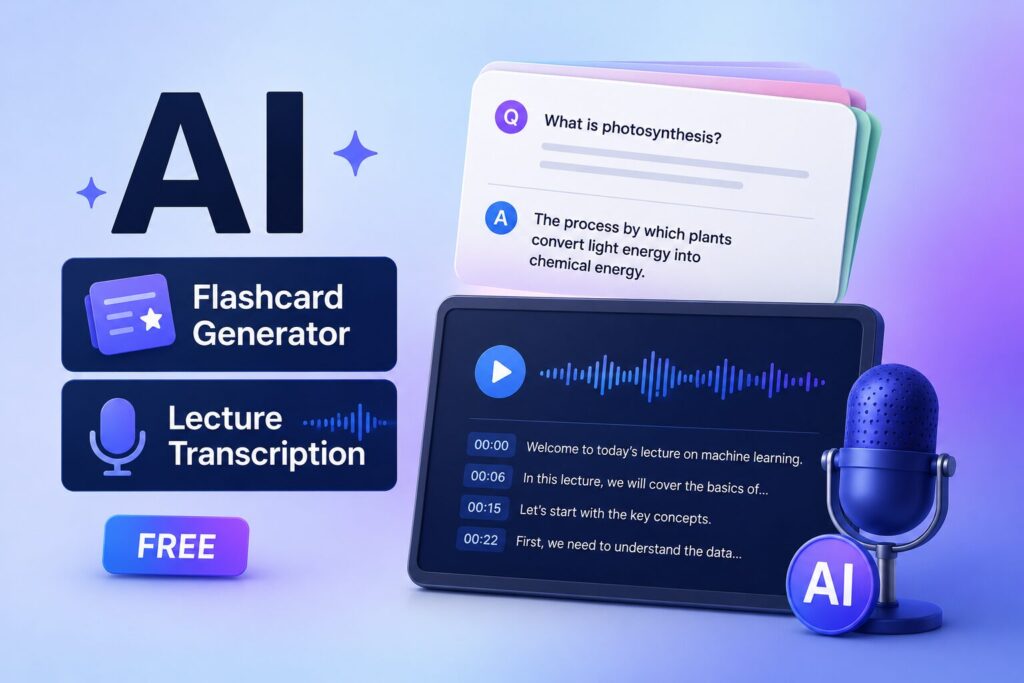
Manual flashcard creation takes hours. AI flashcard generator free tools cut that time to minutes.
The free stack that works: Use Anki (free, open source) as your flashcard player. Then use ChatGPT or Claude to generate Q&A pairs from your notes. Paste ten pages of notes into ChatGPT with the prompt: “Extract the 30 most important facts from these notes. Format each fact as a question‑answer pair that I can import into Anki.”
Students using AI‑generated flashcards report cutting deck creation time by roughly two‑thirds compared to manual methods, according to aggregated discussions across study subreddits.
Several dedicated AI flashcard apps also offer meaningful free tiers. Cognito uses Gemini AI to generate flashcards from anything you read, watch, or hear. The free version includes unlimited manual cards, three AI card generations per day, full FSRS spaced repetition, and all four study modes. CardMory and iLearn both offer free tiers that generate flashcards from uploaded notes or PDFs, though free users may face generation limits.
Live lectures move fast. Transcription tools capture every word so you can focus on understanding, not note‑taking.
Otter.ai offers 300 free minutes per month, with each conversation capped at 30 minutes. Record lectures directly in the app. Otter generates a searchable transcript and highlights key phrases automatically. The free tier works for most students taking four to six courses per semester if you prioritise your most lecture‑heavy classes.
Google Recorder (available on Pixel phones and via web app) offers unlimited transcriptions with on‑device processing. Privacy is stronger here — everything stays on your device unless you choose to back up to Google servers. The transcript is searchable, and the app automatically tags speakers.
Free tiers cover most student needs. Premium upgrades become useful only when free limits become genuinely restrictive — not because of marketing pressure.
| Tool | Free Tier | Paid Upgrade | When to Pay |
|---|---|---|---|
| ChatGPT | Free, limited messages | $20/month for Plus | You hit rate limits during exam week |
| Otter.ai | 300 min/month, 30 min/conv | $17/month for Pro | You need to transcribe >5 hours of lectures monthly |
| Grammarly | Basic spelling and grammar | $12/month for Premium | You are writing a thesis or frequent long‑form essays |
| Quizlet | Basic flashcard creation | $36/year for Plus | You need unlimited AI generations and advanced spaced repetition |
| Notion AI | Free (notion.so) with basic AI features | $10/month for AI add‑on | You manage multiple complex projects simultaneously |
Before paying for anything, max out the free tier of each tool for two weeks. Most students discover that the free limits are sufficient for regular coursework. Paid upgrades are for exam periods, thesis writing, or students taking six or more courses per semester.
ChatGPT is excellent for explanations but terrible at working from your specific syllabus. It does not know which chapters your professor assigned. It does not know which cases are on your exam. Use ChatGPT for conceptual clarity. Use NotebookLM for source‑specific work.
Reading AI‑generated summaries feels productive. It is not. The learning science is settled: being tested on material strengthens memory far more than re‑reading or reviewing summaries. Every study stack must include a flashcard component with spaced repetition.
AI hallucinates. It invents plausible‑sounding facts, case names, and even entire legal precedents. Treat every AI‑generated answer as a first draft. Verify anything that will appear in a graded assignment.
The goal of AI-powered study tools is not to outsource learning. It is to remove friction — the mechanical, repetitive parts of studying — so you can spend your cognitive energy on deeper understanding. If you find yourself copying AI outputs without engaging with them, you are using the tools wrong.
Here is the number that changes everything: 86% of students globally now use AI for their studies. Over half use it daily or weekly, and AI has moved from novelty to near-universality among undergraduates in just three years.
The HEPI Student Generative AI Survey 2026 found that 95% of students report using AI in at least one way, and 94% use generative AI to help with assessed work. Among college students specifically, the Lumina Foundation-Gallup 2026 study found that 57% of U.S. college students use AI in their coursework at least weekly, including one in five who use it daily. The numbers are even higher in certain regions — 92% of Latin American students use AI, surpassing the global average of 86%.
The AI in education market is growing at an unprecedented pace. It will grow from $7.52 billion in 2025 to $10.6 billion in 2026 — a compound annual growth rate of 40.9%. By 2030, the market is projected to surge to $42.48 billion, and by 2034, it could hit $112.3 billion.
The AI personal tutors market alone will grow from $2.45 billion in 2025 to $3.16 billion in 2026 at a 29.2% CAGR. The AI-powered tutoring bots market follows a similar trajectory, growing from $3.6 billion in 2025 to $4.58 billion in 2026 at a 27.2% CAGR.
But here is what those numbers really mean: AI study tools are not a trend. They are infrastructure.
Students are using AI for specific, high-impact tasks:
| Task | Percentage of Students |
|---|---|
| Understand complex course material | 86% |
| Save time on assignments | 76% |
| Improve grades | 70% |
| Prepare for future career | 65% |
| Brainstorm ideas | 51% |
According to Gallup data, 64% use AI daily or weekly to get help with coursework they do not understand, 60% use it to check answers on homework, and more than half use AI to edit or improve their writing (54%) or summarize lectures or notes (54%). Around 49% use it to generate new ideas, such as paper topics.
The most common reasons students cite for using AI are understanding complex material (86%), saving time (76%), and improving grades (70%).
87% of students use ChatGPT, making it the dominant study AI tool. 66% of students use ChatGPT for education, while 25% use Grammarly and 25% use Microsoft Copilot. Students use an average of 2.1 AI tools.
At Stanford University, 100% of ChatGPT users reported using the platform frequently for studying, compared to 88% for Gemini users and 71% for Claude users.
The shift is clear: students are no longer experimenting with AI. They are integrating it into their daily study routines.
The data is unambiguous: AI study tools are no longer optional — they are essential. The question is no longer “Should I use AI to study?” but “Which AI tools should I use, and how can I use them effectively?”
Students who use AI report 82% better understanding of topics and 71% improved grades. 55% of students find AI more helpful than textbooks or classroom teaching. Microsoft 365 Copilot Chat has been linked to a 265% boost in self-learning and a 15% bump in pass rates.
The gap between students who use AI effectively and those who do not is widening rapidly. The tools are accessible, the data is clear, and the results are documented. The only question is: will you use them to study smarter?
The best free AI study tools are Google NotebookLM (source processing), ChatGPT or Claude (concept explanations), Anki with AI‑generated decks (active recall), and Otter.ai (lecture transcription). This four‑tool stack covers reading, understanding, memorising, and capturing — all at zero cost.
Start with NotebookLM. Upload one PDF from your current course. Ask three questions: “Summarise this document in 500 words,” “List all key terms and their definitions,” and “What are the three most important arguments made here?” That single exercise demonstrates what AI-powered study tools can do in under ten minutes.
Students using a complete AI study stack report saving 10 to 15 hours per week, according to user surveys aggregated across productivity communities. The breakdown: textbook reading time cut by 40–50 percent using NotebookLM, flashcard creation time reduced by roughly two‑thirds using AI generation, and research time halved using Perplexity or ChatGPT for source discovery.
NotebookLM is most useful for UPSC syllabus integration. For GATE, JEE, and NEET — where the challenge is solving speed and conceptual clarity — use ChatGPT for step‑by‑step problem explanations and Wolfram Alpha for checking calculus and physics solutions. Anki with AI‑generated flashcards works for memorisation heavy subjects like biology and chemistry. All tools mentioned work in India without VPNs.
No major Indian or international university has banned AI study tools outright as of 2026. The distinction is between using AI to understand material (permitted and encouraged) versus submitting AI‑generated work as your own (plagiarism). The Pearson report on Gemini’s Guided Learning and ChatGPT’s Study Mode notes that used with care, AI tools can enhance, not eliminate, independent learning. Always check your institution’s specific academic integrity policy. When in doubt, ask your professor directly.
The old study workflow meant reading everything, highlighting everything, and hoping something stuck. AI-powered study tools replace that shotgun approach with a surgical stack: source processing, active recall, on‑demand explanations, and lecture capture.
Here is what you actually need to do to build your study stack:
You have the same twenty‑four hours as every other student. The difference is whether you spend those hours re‑reading the same paragraph or actually understanding the material. The tools are free. The workflow is proven. The only remaining question is whether you start today.
Leave a comment below — which subject will you test your AI study stack on first?
P.S. — AICAP publishes one practical AI strategy guide every week at AICAP.in. No spam. No recycled content. Just strategies that people are actually using right now.
All figures, statistics, and education market data in this guide are sourced from publicly available reports, industry studies, and platform case studies from 2026.
| Category | Sources Used |
|---|---|
| Education Market Data | AI in education market reports, HEPI Student Generative AI Survey 2026 |
| Student Usage Data | Lumina Foundation-Gallup 2026 study, Stanford University student surveys |
| Platform Data | Google NotebookLM documentation, Otter.ai usage data, Grammarly, Quizlet, Notion AI |
| Community Case Studies | Reddit r/GetStudying, r/college, r/medicalschool aggregated discussions |
All figures presented in this guide meet one or more of the following verification criteria:
The data in this guide represents the most current publicly available information as of June 2026. However, features, pricing, and availability may change. We recommend verifying specific details through official documentation before making decisions based on this guide.
All figures are sourced from publicly available reports, industry benchmarks, and platform case studies from 2026. Features and pricing may change.

Salman Shaikh is the founder and editor-in-chief of AiCap.in, an independent AI and personal finance publication based in Ahmedabad, India.
Since launching AiCap.in in April 2026, Salman has personally tested and reviewed 100+ AI tools across income generation, crypto research, content creation, and personal finance — publishing 91+ hands-on guides based on real usage, not press releases.
His approach is simple: every tool he writes about is one he has opened, tested, and either used to earn money or rejected after finding it didn’t deliver. He started AiCap.in after realising most AI content in India was either written by people who had never touched the tools, or buried in technical jargon that everyday people couldn’t act on.
His work covers AI tools for passive income, freelancing with AI, crypto research workflows, Amazon FBA with AI, and personal finance strategies built for readers in India and accessible to anyone globally looking to earn smarter with AI.
AiCap.in now reaches a growing community of readers across India and globally who want practical, jargon-free AI strategies they can implement today.
Connect with Salman: LinkedIn · X @AiCap88 · YouTube · Medium