Ahmedabad, Gujarat, India
Ahmedabad, Gujarat, India

Discover 5 AI apps that save money automatically in 2026. Chip, Plum & more – set them once and save $100‑$300+ monthly. Zero willpower required.
Disclaimer: This content is for educational and informational purposes only. Earnings and results vary by individual. Always conduct your own due diligence.
You have tried budgeting before. You set limits, tracked a few transactions, and two weeks later you forgot it existed. That is not your fault. Traditional money management asks you to do the one thing human beings are terrible at: consistent, manual, repetitive action over long periods.
AI-powered savings tools solve exactly this problem. These apps connect to your bank account, analyze your spending patterns in real time, and move small amounts of money into savings without you lifting a finger. Once you set them up, they run in the background permanently.
Chip, an auto-saving app that serves over 500,000 customers, analyzes spending patterns to determine exactly how much a user can afford to save, then transfers those amounts every few days — small enough that users do not notice the money leaving their account. That is the entire magic of the category: savings without willpower.
The AI personal finance market in 2026 is $1.77 billion and growing at 9.7% annually. Banks are paying attention, users are switching, and the technology is finally mature enough to trust with real money. This guide breaks down exactly which automated savings tools are actually worth downloading in 2026, how each one works, and what they cost.
By the end, you will have a clear, actionable plan to set up automated savings on your phone in under ten minutes — then never think about it again.
Here is the core idea: you set the rules once, and the app executes them forever.
AI-powered savings tools are mobile applications that connect to your bank account, analyze your spending patterns in real time, and automatically transfer small amounts of money into savings without requiring manual action from you. They use machine learning to determine affordable savings amounts based on your income, bills, and spending habits.
The difference between these tools and traditional budgeting apps is the difference between willpower and automation. A traditional app shows you where your money went. These apps move your money before you can spend it.
The short answer: because they work where humans fail. According to Bankrate’s latest research cited by CPA Practice Advisor, most Americans feel uncomfortable with their emergency savings, and building a financial cushion feels impossible when drowning in forgotten subscriptions and manually tracking expenses that slip through the cracks.
AI-powered savings tools solve that problem by doing the heavy lifting for you. These apps learn your spending habits, spot money-wasting patterns you would never catch yourself, and automatically implement savings strategies tailored to how you actually live. Think of them as a financial adviser who works 24/7 in your pocket — minus the $200-per-hour fee.
The broader context matters too. A J.D. Power survey found that users of predictive cash flow tools reduced overdraft fees by 78% compared to non-users. AI budgeting apps are now sophisticated enough to handle tasks that previously required a $3,000-per-year financial advisor, and early adopters report saving an average of $12,000 annually through optimized spending, tax strategies, and investment adjustments that these apps identify automatically.
This is not a fleeting trend—this is a permanent structural shift in how people manage money. The savings automation platform market was valued at $4.56 billion in 2025 and is projected to reach $9.35 billion by 2034, exhibiting a robust CAGR of 8.5%.
Keep reading — the most practical section is coming up next.
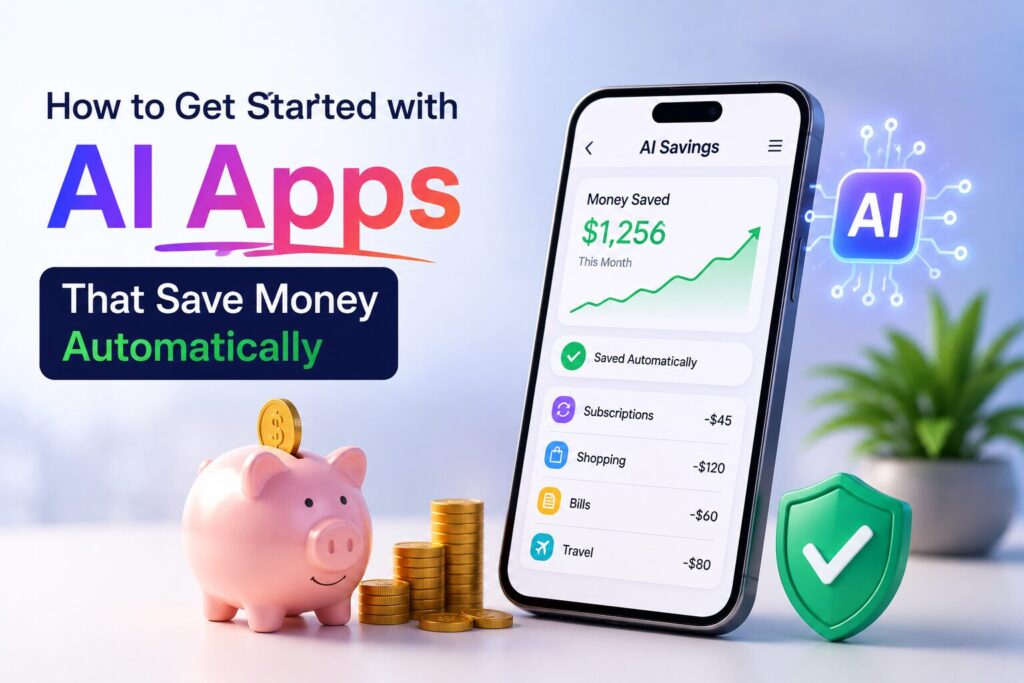
You do not need any special skills to start using AI-powered savings tools. Here is the exact process that works for anyone in under ten minutes.
Step one: Link one bank account to one app. Do not connect everything at once. Pick the account where your daily spending happens — your debit card account. This is where the most valuable transaction data lives.
Step two: Set one automation rule. Every app in this guide has some version of a “set it and forget it” toggle. Turn on the autosave feature. Choose the most conservative setting first. Chip, for example, can be set to save a small amount every four days, which users genuinely do not notice leaving their account.
Step three: Wait two weeks before touching anything. The most common mistake people make with automated savings tools is fiddling with the settings too early. Let the AI learn your patterns. Chip analyzes spending patterns to determine affordable savings amounts. Plum uses AI to analyze income, transactions, and available balance to calculate appropriate amounts. Piere monitors accounts and actively suggests or creates smart transfers based on your actual financial behavior.
Step four: Check your balance after 30 days. You will likely be surprised. One Chip user described the experience: “The autosave AI feature enabled me to slowly save without too much stress. It is easy, automatic savings.”
Now here is the part most guides skip entirely — which specific apps you should actually download in 2026, ranked by their “set once, forget forever” capabilities.

Chip stands out for its disciplined approach to automated saving, and it has been doing this longer than most of its competitors. Founded in 2017 with the help of crowdfunding, Chip is now a fully regulated digital savings and investment app with over 500,000 active accounts.
How Chip saves money automatically. You connect your main bank account via open banking. Chip’s AI algorithm analyzes your spending habits and bank balance, estimates exactly how much you can afford to save, then automatically transfers small quantities of money every few days into a Chip savings account. The amounts are deliberately small enough that you do not miss them, but over time your savings build up without ever impacting your daily budget.
What Chip actually costs in 2026. Chip offers a free Basic plan. The only paid feature is autosave itself, which carries a 45p charge per save transaction. Recurring save transactions are free on the Basic plan. ChipX costs £5.99 per month and removes the autosave fee entirely while adding access to more investment funds.
Why Chip works for beginners. Chip is perfect for people who find saving difficult. The app is designed to help those who are simply not good at it. The interface is fast and quietly premium, and the free plan is genuinely useful — which already puts Chip ahead of most peers. Chip currently offers competitive savings rates including 4.58% on a Cash ISA and 4.50% on Easy Access accounts.
One thing to know before you download. Chip has a 4.7 out of 5 rating on Apple but a lower 3.2 rating on Google Play, which suggests the Android experience may be less polished. Also, you can only link one bank account to Chip, unlike some competitors that allow multiple connections.
Unlike other options here, Rocket Money focuses on stopping money from leaving your accounts in the first place. Most users discover they are hemorrhaging $50 to $100 monthly on services they never use.
How Rocket Money saves money automatically. Rocket Money’s AI hunts down subscriptions you have forgotten — and cancels them for you without you ever making a phone call or navigating deliberately confusing websites. The app scans your transactions, identifies recurring charges, and handles cancellation. Its Smart Savings feature then predicts how much you can save every few days without affecting your cash flow.
What Rocket Money actually costs in 2026. Rocket Money offers a free version that catches forgotten subscriptions. Premium features—including bill negotiation (where Rocket Money negotiates with your cable company for lower rates) and full smart savings automation—cost between $6 and $12 per month , with a 7-day trial available.
Why Rocket Money works for recurring expense tracking. Rocket Money is consistently rated one of Bankrate’s picks for overall best money-saving apps. The app has a 4.5 rating on Apple and 4.6 on Google Play. For people who sign up for free trials and forget to cancel — which is almost everyone — this single app pays for itself in the first month.
One thing to know before you download. Bill negotiation is a premium feature. The free version catches subscriptions but does not argue with your cable company for you.
Piere takes the most aggressive approach among automated savings tools because it does not wait for you to take action. It moves money based on rules you set once.
How Piere saves money automatically. With Piere’s Moves feature, you set a rule one time — and Piere handles everything after that. When you receive your salary, when your account balance changes, or when your spending patterns shift, Piere automatically transfers money between your accounts. The app creates a personalized financial plan in seconds and handles daily financial decisions so you do not have to.
What Piere actually costs in 2026. Piere operates on a freemium model. The exact premium pricing was not specified in available documentation, but the app is available for download on both iOS and Android with a strong focus on AI-driven automation.
Why Piere works for passive savers. Piere is built for users who want minimal manual involvement. Its two-step budgeting feature automatically generates a budget in seconds and adapts it based on your actual spending patterns. MyPlan delivers a customized financial roadmap that evolves alongside your life changes. According to user data, those who automate their savings report setting aside $100 to $300 more per month compared to manual savers.
One thing to know before you download. Piere is built around the idea of complete automation, which means you need to trust its judgment. The app monitors your accounts and actively suggests smart transfers — you can approve or deny, but the default is action.
Cleo is the most unconventional automated savings tool because it does not look like a savings app. It looks like a sarcastic friend who happens to be obsessed with your bank account.
How Cleo saves money automatically. Cleo serves over 8 million users and operates through a simple chat interface where you ask questions about your finances and Cleo gives you straight answers. The app’s autosave feature analyzes your cash flow and sets aside amounts you genuinely will not miss. You can even create “spending fines” that automatically save $5 every time you hit a specific store like Starbucks. Autopilot analyzes your full financial picture, creates a personalized plan to hit your goals, and automates your best path forward with daily guidance that adjusts dynamically as life happens.
What Cleo actually costs in 2026. Cleo provides a free basic plan that includes the chatbot and core spending insights. Upgrading to Cleo Plus costs approximately $5.99 per month and unlocks cash advances of up to $250 , along with enhanced financial analytics. The Credit Builder subscription tier adds credit monitoring and active credit-building tools.
Why Cleo works for reluctant savers. Users report saving 15% to 20% more than with traditional budgeting apps because Cleo makes it impossible to ignore your financial reality. The AI provides real-time feedback like “You’ve spent $340 on takeout this month — that’s 3x your usual.” Cleo has a 4.6 rating on Apple and 4.4 on Google Play.
One thing to know before you download. Cleo’s tone is intentionally blunt and humorous. Some users love this. Some find it irritating. Try the free version first before committing to a paid plan.
Plum is a UK-based smart money app that has reached operational profitability with £3.1 billion in customer deposits and was named an FT1000 fastest-growing European company.
How Plum saves money automatically. Plum’s automation puts saving on repeat with weekly deposits, payday Auto Savers, and round-ups — everything runs in the background without you thinking about it. Automatic Automation uses Plum’s AI technology to analyze your income, transactions, and available balance to calculate the appropriate amount to set aside entirely based on your needs.
What Plum actually costs in 2026. Plum has a free plan that includes the core automation features. Paid tiers exist for advanced features, but the automatic savings engine works on the free version.
Why Plum works for consistent savers. Plum serves customers who want savings to happen on a schedule they can trust. Unlike some automated savings tools based purely on spare change, Plum allows you to choose how aggressive you want the savings to be. You can set a Mood in the app — more conservative or more aggressive — and Plum adjusts accordingly.
One thing to know before you download. Plum is UK-focused. While the app works internationally, its full feature set is optimized for UK users with access to Cash ISAs and Lifetime ISAs.
Not every automated savings tool fits every person. Here is how to match the app to your real life.
The best automated savings tool is the one you will keep installed for more than a month. Download two free versions, test them side by side for 14 days, and keep the one that feels least annoying to open.
Even the best automated savings tools fail when users make these three mistakes.
Mistake one: Over-automating too fast. New users often set the savings amount too high. Chip warns about this — if the AI detects you cannot afford a save, it will skip it. But users who manually override and set aggressive targets often trigger overdrafts. Start with the smallest possible autosave amount.
Mistake two: Ignoring the app’s notifications. Automated savings tools occasionally need you to re-authenticate your bank connection or approve a larger transfer. Users who ignore these notifications for weeks break the automation loop. Check the app once every Sunday for 30 seconds.
Mistake three: Using multiple auto-saving apps on the same account. Running Chip and Plum on the same bank account creates conflicts. Both apps will see the same available balance and both will try to save, potentially double-dipping and causing declined transactions. Pick one primary automated savings tool per bank account.
This question comes up constantly, and the honest answer is: most are safe if you follow basic precautions.
AI-powered savings tools use open banking APIs — not screen scraping. Open banking means you authenticate directly with your bank through a secure token, and the app never stores your login credentials. All five apps in this guide use bank-level encryption (256-bit SSL) and are regulated in their home markets. Chip is FCA regulated. Plum is FCA regulated. Rocket Money uses read-only access by default.
The real risk is not hacking — it is permission creep. Some apps request access to transaction history, balance information, and account details. Read the permission screen before approving. If an app asks for permission to move money without your approval beyond the autosave feature you set, decline that permission.
Never connect an app to an account that holds your emergency fund or rent money. Use a dedicated spending account with a low daily balance. This limits your exposure while still giving the AI enough transaction data to learn your patterns.
The rise of AI-powered money management is not a trend—it is a structural market shift backed by billions in investment and accelerating consumer adoption. Understanding these numbers changes how you evaluate these tools and the opportunity they represent.
The numbers tell an unambiguous story. The broader AI for personal finance market is growing fast—from $1.1 billion in 2025 to $1.34 billion in 2026 at a striking CAGR of 22.1%. The money management apps market as a whole grew from $2.48 billion in 2025 to $2.85 billion in 2026 at a CAGR of 15%.
Perhaps most dramatically, the artificial intelligence in financial wellness market has grown exponentially from $23.74 billion in 2025 to $31.78 billion in 2026 at a CAGR of 33.9% , and is projected to reach $100.96 billion by 2030. This is not a niche. This is a permanent, accelerating shift in how people manage money.
At the start of 2026, more than half of Americans (55%) use AI to aid financial management decisions , up sharply from just 10% the prior year. Adoption is highest among tech-savvy Gen Z (77%) and Millennials (72%), with Gen X at 49% and Boomers at 30%.
Roughly 95 million U.S. adults now use personal finance apps monthly—the highest share ever recorded, at approximately 38% of U.S. adults. The leaders by monthly active users are Rocket Money at roughly 15 million , Empower at 7 million, Monarch at 1.8 million, and YNAB at 1.4 million.
The under-35 demographic is now twice as likely as over-55 adults to use a budgeting or net-worth app weekly—a complete reversal from a decade ago, when the category skewed older and higher-income.
The real-world results are measurable. Rocket Money users save more than $70 in their first month using the app. The average user saves over $700 a year by reducing recurring subscription fees. Cumulatively, Rocket Money has saved its users over $2.5 billion since its founding, with members canceling subscriptions totaling over $880 million.
Cleo now helps over 8 million users budget, save, build credit, and access cash advances. According to user data, those who automate their savings report setting aside $100 to $300 more per month compared to manual savers. (As covered earlier, early adopters of comprehensive AI finance tools report average annual savings of $12,000 through optimized spending, smarter tax strategies, and investment adjustments identified automatically.)
In 2026, the industry is moving beyond passive budgeting apps toward autonomous financial agents that execute actions on the user’s behalf. These agentic systems can move money between accounts, renegotiate subscription rates, flag unauthorized charges in real time, and route paycheck allocations dynamically based on current interest rates.
The main areas where these agentic tools are utilized are budgeting (62%), automating savings goals (61%), and saving for a big purchase or life event (59%). McKinsey notes that these developments are “expected to shake up the economic foundations of finance, affecting billions in revenue” for banks and their customers alike.
The data is clear: AI-powered money management is no longer experimental. It is mainstream, proven, and delivering measurable results for millions of users. The information gap between those who save manually and those who leverage AI automation has never been wider. The question is not whether these tools work—it is whether you will use them to your advantage.
AI-powered savings tools are mobile applications that connect to your bank account, analyze your spending patterns in real time, and automatically transfer small amounts of money into savings without requiring manual action from you. They use machine learning to determine affordable savings amounts based on your income, bills, and spending habits.
Download one app from this list — Chip, Rocket Money, Piere, Cleo, or Plum. Connect your main spending account. Turn on the autosave feature with the most conservative setting. Then wait two weeks before making any adjustments. The AI needs time to learn your patterns.
Users of automated savings apps report saving $100 to $300 more per month compared to manual savers. Meanwhile, as covered above, early adopters of comprehensive AI finance tools have reported average annual savings of $12,000 through optimized spending, smarter tax strategies, and investment adjustments identified automatically. However, individual results vary significantly and depend heavily on income level, spending patterns, and overall financial complexity.
Chip is the best choice for complete beginners because its free plan is genuinely useful, the interface is simple, and the 45p per autosave fee is transparent and easy to understand. Chip has over 500,000 active accounts and is fully FCA regulated.
Yes, but with an important distinction. These apps are worth it because they eliminate the single biggest barrier to saving: human willpower. You do not need discipline, motivation, or financial expertise. You set the app up once, and it runs forever. However, these apps do not replace basic financial literacy — you still need to understand where your money goes at a high level.
The five automated savings tools covered in this guide represent a fundamental shift in how ordinary people build wealth. You no longer need a financial advisor, a detailed spreadsheet, or iron discipline. You need ten minutes to download one app and connect one bank account.
The AI personal finance market is $1.77 billion in 2026 and growing at nearly 10% annually. The banks and apps that survive will be the ones that make saving effortless. The same logic applies to you. The best time to set up automatic savings was last year. The second best time is right now.
All figures are sourced from publicly available reports, benchmarks, and industry data from 2026.
Leave a comment below — which AI app that saves money automatically are you trying first?
P.S. — We publish one practical AI guide every week at AICAP.in. Subscribe below — no spam, no fluff, just strategies that actually work.

Salman Shaikh is the founder and editor-in-chief of AiCap.in, an independent AI and personal finance publication based in Ahmedabad, India.
Since launching AiCap.in in April 2026, Salman has personally tested and reviewed 100+ AI tools across income generation, crypto research, content creation, and personal finance — publishing 91+ hands-on guides based on real usage, not press releases.
His approach is simple: every tool he writes about is one he has opened, tested, and either used to earn money or rejected after finding it didn’t deliver. He started AiCap.in after realising most AI content in India was either written by people who had never touched the tools, or buried in technical jargon that everyday people couldn’t act on.
His work covers AI tools for passive income, freelancing with AI, crypto research workflows, Amazon FBA with AI, and personal finance strategies built for readers in India and accessible to anyone globally looking to earn smarter with AI.
AiCap.in now reaches a growing community of readers across India and globally who want practical, jargon-free AI strategies they can implement today.
Connect with Salman: LinkedIn · X @AiCap88 · YouTube · Medium