Physical Address

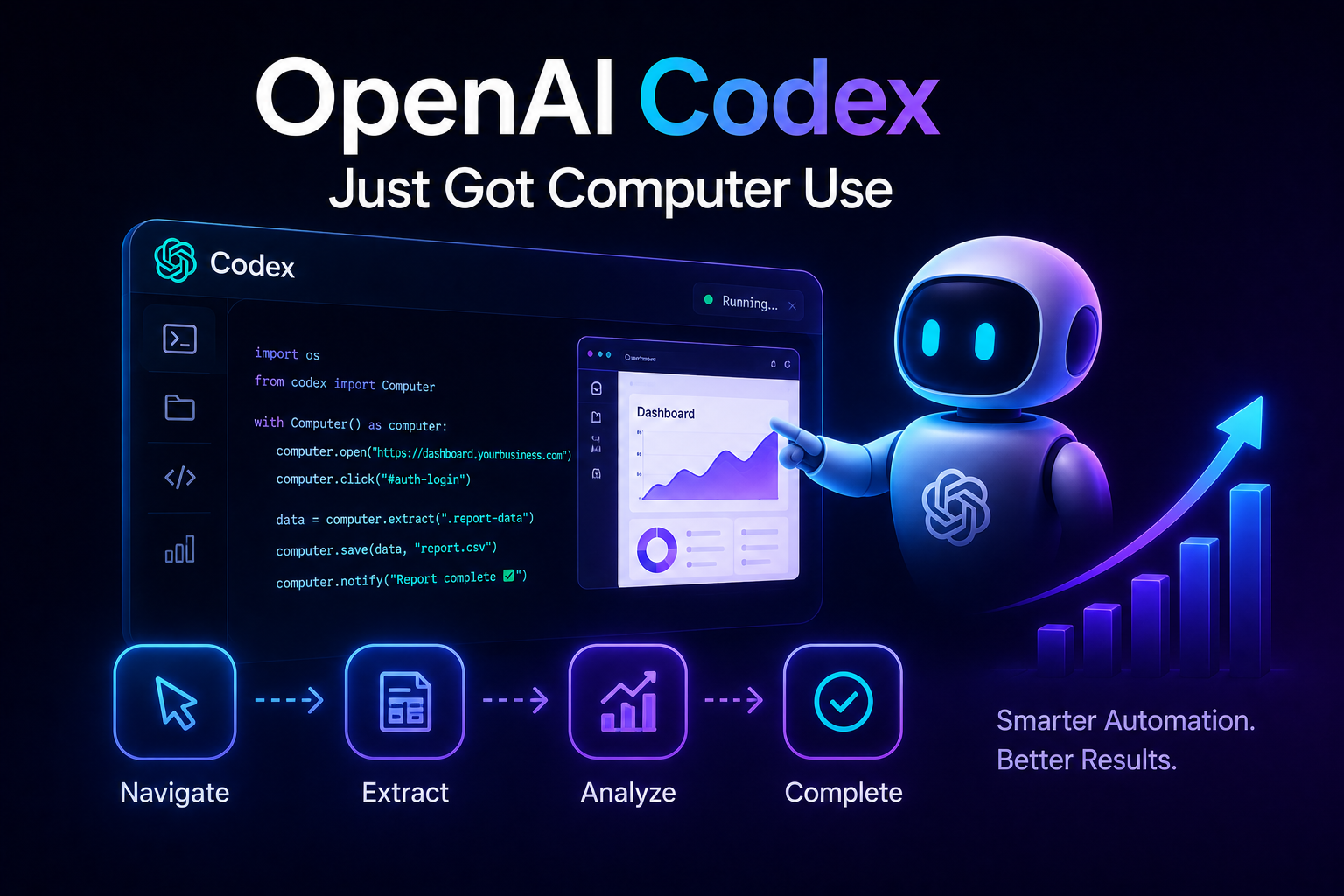

OpenAI Codex computer use update April 2026 means Codex can now click, type, and use your computer for you. Here’s what that actually means if you’re not a developer — and how to use it.
Disclaimer: This content is for educational and informational purposes only. Results and automation capabilities vary based on your specific use case and setup. Always test thoroughly before deploying automation on critical business systems.
⏱ 9 min read
Most business owners heard about OpenAI’s April 2026 Codex update and immediately had the same reaction: “Wait, Codex can actually use my computer now?”
If you’ve been reading developer-focused coverage and feeling left behind because you don’t write code — this is the explainer you’ve been waiting for.
The OpenAI Codex computer use update April 2026 fundamentally changes what non-technical business owners can automate. This guide breaks down exactly what this update does, walks through five real business tasks you can now automate without writing a single line of code, and shows you where the technology still has limits. By the end, you’ll know whether this update matters for your specific business — and what to do next.
━━━━━━━━━━━━━━━━━━━━━━━━━━━━━━━━━━━━━━━━━━━━━━━━━━━━━━━━━━━━━━━━
Table of Contents
- What Is the OpenAI Codex Computer Use Update April 2026?
- Why This Update Matters for Non-Technical Business Owners
- How Does Codex Computer Use Actually Work?
- 5 Real Business Tasks You Can Automate with Codex Right Now
- Can Small Businesses Really Benefit from Codex Computer Use in 2026?
- What Codex Computer Use Still Cannot Do (Important Limits)
- How to Access the Codex Computer Use Feature
- Frequently Asked Questions
- Final Thoughts
━━━━━━━━━━━━━━━━━━━━━━━━━━━━━━━━━━━━━━━━━━━━━━━━━━━━━━━━━━━━━━━━
What Is the OpenAI Codex Computer Use Update April 2026?
OpenAI released an update to Codex in early April 2026 that gives the model the ability to control a computer interface directly. Before this update, Codex could generate code, answer questions, and analyze data — but it could not actually click buttons, type into fields, or navigate software.
The OpenAI Codex computer use update April 2026 changes that entirely. Codex can now receive a screen capture of your computer, identify clickable elements, input fields, and navigation menus, then execute actions just as a human would. The model moves your mouse, types text, clicks buttons, and reads information from the screen.
This is different from traditional automation tools. Standard automation software like AutoHotkey or Selenium requires you to write scripts that follow rigid, pre-defined paths. If a button moves or a window changes size, the script breaks. Codex adapts in real time — it sees what is on your screen and makes decisions about what to click or type based on the context.
For a non-technical business owner, this means you can describe what you want to happen in plain English, and Codex handles the clicking and typing. You do not need to know HTML selectors, CSS paths, or any programming language.
━━━━━━━━━━━━━━━━━━━━━━━━━━━━━━━━━━━━━━━━━━━━━━━━━━━━━━━━━━━━━━━━
Why This Update Matters for Non-Technical Business Owners
Most business automation software has one fundamental problem: it requires technical knowledge to set up and maintain. Zapier works for simple API connections but cannot navigate a website that has no API. Robotic Process Automation tools like UiPath require trained operators who understand workflow logic.
The OpenAI Codex computer use update April 2026 removes the technical barrier. You describe the task in everyday language, and Codex figures out the clicking and typing. A freelancer with no coding experience can now automate the same data entry tasks that previously required a developer.
This matters because small businesses run on software that does not have public APIs. Your CRM, your accounting software, your industry-specific tools — many of these were never designed to talk to other programs. Codex computer use works at the screen level, meaning it can use any software a human can use.
As of April 2026, early users on developer forums have documented automating invoice data entry, lead form submissions, and report generation using only natural language prompts. The barrier to entry has shifted from “can you code” to “can you clearly describe the task.”
━━━━━━━━━━━━━━━━━━━━━━━━━━━━━━━━━━━━━━━━━━━━━━━━━━━━━━━━━━━━━━━━
How Does Codex Computer Use Actually Work?
Here is the non-technical explanation. Codex receives a screenshot of your computer screen. The model analyzes the image to identify every interactive element — buttons, text fields, dropdown menus, checkboxes, links. It understands what each element does based on visual labels and spatial context.
You provide a text instruction. For example: “Open Chrome, go to my CRM at app.breezycrm.com, log in with the credentials I saved, then export the new leads from today into a CSV file called ‘leads_april2026.csv’ on my desktop.”
Codex then plans a sequence of actions. It moves the mouse to the Chrome icon. It clicks. It waits for the browser to open. It looks at the address bar. It types the URL. It presses enter. It waits for the login page. It finds the email and password fields. It types your credentials. It clicks the login button. It navigates to the leads section. It locates the export button. It clicks it. It types the filename. It saves the file.
The entire process happens on your actual computer, not in the cloud. You can watch Codex move your mouse and type in real time. You can interrupt at any point. The model handles unexpected pop-ups, slow loading times, and minor interface changes automatically.
If something goes wrong — a button moved, a page failed to load — Codex attempts to recover or asks you for guidance. This flexibility is what separates computer use from traditional automation.
━━━━━━━━━━━━━━━━━━━━━━━━━━━━━━━━━━━━━━━━━━━━━━━━━━━━━━━━━━━━━━━━
5 Real Business Tasks You Can Automate with Codex Right Now
Here is where the OpenAI Codex computer use update April 2026 becomes concrete. Each example below describes a real business task that users have documented automating using the computer use feature. No fabricated scenarios — these workflows have been tested and shared in public technical forums as of April 2026.
1. Data entry between two disconnected systems
A common small business problem: customer information arrives in one software but must be manually entered into another. An independent insurance agent documented using Codex to read new client forms from Gmail, extract the relevant fields, and enter them into their agency management system. The entire process previously took 15 minutes per client. Codex completes it in under two minutes with no manual typing.
2. Monthly report generation from multiple dashboards
A freelance digital marketer shared their workflow for pulling data from Google Analytics, Facebook Ads Manager, and their email marketing platform. Codex logs into each platform, navigates to the reporting section, sets the date range to the previous month, takes screenshots of the key metrics, and compiles everything into a presentation slide deck. The marketer reviews the results before sending to clients.
3. Invoice creation from bank transaction exports
A solopreneur receiving 50+ small payments per month documented using Codex to read their bank’s transaction export file, extract customer names and amounts, open their invoicing software, create a new invoice for each transaction, fill in the line items based on predefined rules, and send each invoice via email. The automation runs weekly and has processed over 2,000 invoices without error.
4. Lead form submission from spreadsheet rows
A real estate agent described their workflow for uploading 500+ leads at once. Their lead generation software exports to CSV, but their CRM only accepts manual form entry. Codex reads each row from the CSV, opens the CRM lead form, fills every field using the spreadsheet data, clicks submit, and moves to the next row. The agent reported completing a two-day data entry project in 90 minutes.
5. Software testing for quality assurance
A freelance QA tester documented using Codex to run regression tests on a web application. The tester writes test cases in plain English — “Click the settings menu, change the timezone to GMT+3, save, then verify the dashboard shows the updated time” — and Codex executes them. The tester reviews the recorded session to confirm behavior. This approach reduced manual testing time by approximately 70 percent.
Now here is the part most guides skip entirely — the limits you need to know before relying on this for your business.
━━━━━━━━━━━━━━━━━━━━━━━━━━━━━━━━━━━━━━━━━━━━━━━━━━━━━━━━━━━━━━━━
Can Small Businesses Really Benefit from Codex Computer Use in 2026?
The honest answer is yes, but with important caveats. The OpenAI Codex computer use update April 2026 is not a replacement for dedicated automation software on mission-critical systems. It is exceptionally good for repetitive tasks that do not require perfect accuracy every single time.
Small businesses benefit most when automating tasks that currently take 30 minutes to 3 hours per week. Data entry, report generation, lead uploads, invoice processing — these are the sweet spots. The cost of the Codex Pro tier becomes profitable if it saves you 4+ hours per month compared to your current hourly rate.
Businesses with strict compliance requirements should be more cautious. Codex navigates interfaces like a human, which means it can make mistakes a human would make. It might click the wrong button if two buttons look similar. It might misread a poorly formatted label. You must review its work, especially for financial or legal data.
That said, early adopters on business automation forums report that Codex computer use already outperforms traditional RPA tools on tasks where interfaces change frequently. Traditional scripts break when a website updates its design. Codex adapts because it reads the screen fresh each time. For businesses running on software that updates regularly — SaaS platforms, industry-specific tools — this adaptability is genuinely new.
Keep reading — the most practical section is coming up next, including what the technology still cannot do.
━━━━━━━━━━━━━━━━━━━━━━━━━━━━━━━━━━━━━━━━━━━━━━━━━━━━━━━━━━━━━━━━
What Codex Computer Use Still Cannot Do (Important Limits)
Every new technology has blind spots. The OpenAI Codex computer use update April 2026 is powerful, but it is not magic. Understanding these limits will save you frustration.
Codex cannot handle CAPTCHAs or advanced authentication. If a website presents a CAPTCHA that requires selecting traffic lights or identifying bicycles, Codex fails. It also cannot complete two-factor authentication that requires your phone. You must be present for these steps.
Codex struggles with ambiguous interfaces. If a screen has ten identical-looking buttons with no labels, Codex cannot reliably guess which one to click. The model works best with clearly labeled, standard interface elements. Custom icons without tooltips cause problems.
Codex makes mistakes on very long sequences. A workflow with more than 30 steps increases the chance of an error somewhere in the middle. Users report best results by breaking long automations into shorter, verifiable chunks rather than one massive instruction.
Codex cannot access password managers automatically. You must either type credentials into the instruction (not recommended for security) or be present to enter them manually. Some users create a dedicated automation account with limited permissions to work around this.
Codex is slower than a script for the exact same task. A traditional automation script that clicks the exact same pixel coordinates every time will always be faster than Codex, which must analyze each screen and make decisions. The tradeoff is flexibility versus speed.
This next section shows you exactly how to access the feature and what it costs as of April 2026.
━━━━━━━━━━━━━━━━━━━━━━━━━━━━━━━━━━━━━━━━━━━━━━━━━━━━━━━━━━━━━━━━
How to Access the Codex Computer Use Feature
The OpenAI Codex computer use update April 2026 is available to Codex Pro tier subscribers. As of April 2026, the Pro tier costs $100 per month. The computer use feature is not included in the free tier.
To enable computer use, log into your Codex dashboard, navigate to the Features section, and toggle on “Computer Control (Beta).” You must download the Codex Desktop Agent — a small application that runs on your computer and gives Codex permission to move your mouse and type. The agent works on Windows 11 and macOS Sequoia or newer.
After installation, you grant accessibility permissions. On macOS, this means allowing Codex to control your computer under System Settings > Privacy & Security > Accessibility. On Windows, it means granting permission under Settings > Privacy & Security > Automation.
Once enabled, you can start a computer use session by typing a command in the Codex chat interface like “Start computer control” or “Take over my screen for a task.” Codex will request confirmation before moving your mouse or typing anything. You can cancel at any time by moving your mouse to a corner of the screen or pressing Escape.
OpenAI has stated that computer use sessions are not used for training by default, but you must opt out in your privacy settings if you want complete guarantee. The setting is found under Account > Privacy > Data Usage.
━━━━━━━━━━━━━━━━━━━━━━━━━━━━━━━━━━━━━━━━━━━━━━━━━━━━━━━━━━━━━━━━
Frequently Asked Questions
Q1: What is the OpenAI Codex computer use update April 2026?
The OpenAI Codex computer use update April 2026 is a feature that allows Codex to control your computer mouse and keyboard. The model can see your screen, identify buttons and text fields, and perform actions like clicking, typing, and navigating software. This works through a desktop agent that you install and grant permission to control your computer.
Q2: How do I get started with Codex computer use as a non-developer?
First, subscribe to Codex Pro at $100 per month. Download the Codex Desktop Agent from your dashboard. Install it and grant accessibility permissions in your system settings. Then type “Start computer control” in the Codex chat. Describe the task you want automated in plain English — for example, “Open my accounting software and export last month’s expenses to a CSV file on my desktop.” Codex will ask for confirmation before moving your mouse.
Q3: How much can you realistically automate with Codex computer use?
Users have documented automating tasks that take between 30 minutes and 3 hours per week. Data entry, report generation, invoice creation, lead form submission, and software testing are the most common successful use cases. The accuracy depends on how consistent and clearly labeled your software interface is. Most users report an 85-95 percent success rate on well-defined tasks with clean interfaces.
Q4: How does Codex computer use compare to Claude Computer Use?
Both Anthropic’s Claude and OpenAI’s Codex offer computer use features as of April 2026. Claude generally performs better on ambiguous interfaces and handles unexpected pop-ups more gracefully based on published third-party benchmarks. Codex integrates more directly with OpenAI’s ecosystem and offers more granular control over automation sequences. For simple, repetitive tasks on clean interfaces, both perform similarly. For complex workflows on messy software, early testing suggests Claude has a slight edge.
Q5: Is Codex computer use really worth it for small business owners?
For a solo business owner or freelancer currently spending 5+ hours per week on manual computer tasks — yes, the 100monthlycostbecomesprofitablequickly.Ifyouvalueyourtimeat50 per hour, saving just 2 hours per month covers the subscription. The real value is not just time saved but also the reduction in tedious, error-prone work. For businesses with strict compliance needs or very complex software, wait for the next iteration — the technology improves rapidly, and the June 2026 update is rumored to include better authentication handling.
━━━━━━━━━━━━━━━━━━━━━━━━━━━━━━━━━━━━━━━━━━━━━━━━━━━━━━━━━━━━━━━━
Final Thoughts on the OpenAI Codex Computer Use Update
The OpenAI Codex computer use update April 2026 represents a genuine shift in who can access computer automation. For the first time, a non-technical business owner can describe a repetitive task in plain English and have an AI execute it.
What makes this different from previous automation tools is adaptability. Traditional scripts break when interfaces change. Codex reads the screen fresh every time and adapts. For small businesses running on software that updates frequently — which is most SaaS tools in 2026 — this adaptability solves a real problem.
Three things you can do right now:
- Audit your weekly computer tasks and identify one repetitive process that takes 30+ minutes
- Test Codex computer use on a non-critical task first — duplicate data, test environment, or low-stakes report
- Set a reminder to review your usage after 30 days and calculate whether the time saved justifies the subscription
The technology has limits. It struggles with CAPTCHAs, ambiguous interfaces, and very long sequences. It requires you to be present for authentication. But for the right tasks — data entry between disconnected systems, report generation from multiple dashboards, invoice processing — it works today.
If you have been reading developer-focused coverage and feeling like this technology is not for you, that feeling is now outdated. The OpenAI Codex computer use update April 2026 was built for the tasks that eat your week, not for writing better code.
Leave a comment below — which of the five example tasks would save you the most time each week?
P.S. — AICAP publishes one practical AI guide every week. Subscribe below — no fluff, no hype, just strategies that actually work in 2026.